
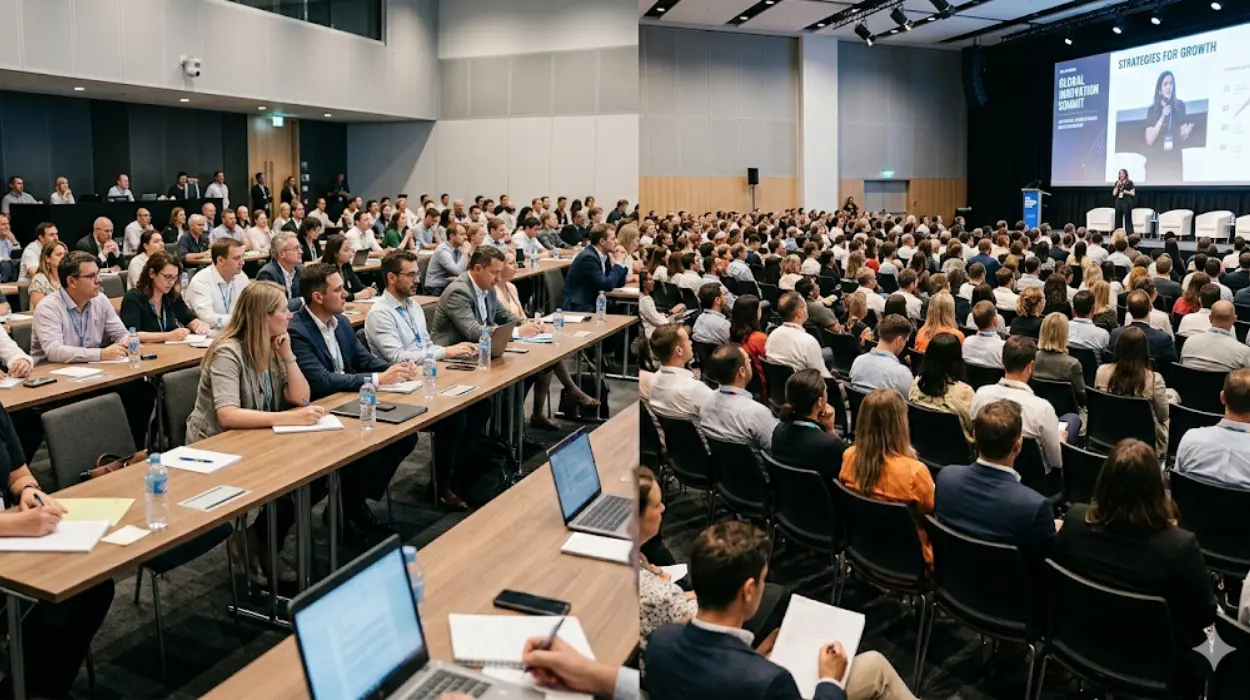
Classroom-style setups are best for collaborative, note-heavy sessions that require focus and interaction. Theatre-style layouts suit larger audiences where presentations and speaker visibility take priority.
Choosing between classroom and theatre styles isn’t just about preference it’s about aligning your conference setup with your event’s goals, audience behaviour, and communication needs. Whether planning a corporate presentation, training seminar, or client showcase, the right layout can shape the flow, comfort, and productivity of your event.
Understanding Conference Room Layouts
Conference Room Services provide the framework for how people interact within a space how they see, hear, and engage with the content and each other. At Form My Company, we design and provide Conference Rooms that are flexible, professional, and tailored to meet distinct meeting objectives.
Two of the most familiar layouts in corporate environments are classroom-style and theatre-style setups. Each carries unique benefits and limitations that can directly affect participant focus, movement, and energy during an event.
What Defines a Classroom-Style Setup?
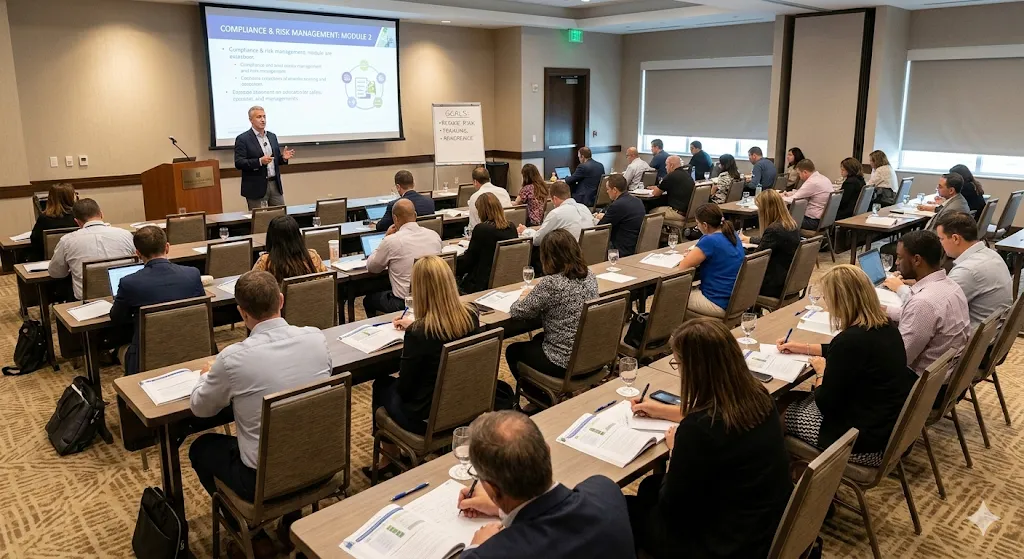
A classroom-style conference layout features rows of tables and chairs facing a presenter or screen. It mirrors a training or lecture environment where attendees can take notes and access materials easily.
Key characteristics:
- Tables or desks arranged in straight or angled rows.
- Individual or group seating, typically two to three people per table.
- Central focus on instruction, interaction, or workshop-style content.
This structure is ideal for events where participants need writing space, such as training sessions, seminars, or strategy workshops. The setup encourages concentration, information retention, and a structured workflow qualities that matter during skill-building or corporate training.
For example, when conducting a compliance workshop or new system demonstration, the classroom style allows each delegate to follow along with printed or digital guides while maintaining clear sightlines to the presenter.
What Defines a Theatre-Style Setup?
A theatre-style configuration, on the other hand, emulates an auditorium. Chairs are arranged in multiple rows facing a central stage or screen maximising capacity and audience visibility.
Key characteristics:
- No tables between attendees, just rows of chairs.
- Layout optimised for viewing, not writing or discussion.
- Typically used for keynote presentations, product launches, or lectures.
In this setup, the focus shifts from participation to presentation. It’s efficient for delivering information to large crowds, and the open floor plan allows organisers to fit more participants within the same square footage.
When presenting quarterly results, hosting a company-wide address, or launching a new product, the theatre format ensures that every attendee has an unobstructed view of the content and the speaker.
Comparing Functionality: Audience Engagement and Space Utilisation
Each conference setup impacts how participants experience and interact within the room. The choice can influence engagement, productivity, and even the event’s energy level.
Audience Engagement:
- Classroom style supports discussion and active learning, allowing attendees to interact, write notes, and use laptops.
- Theatre style demands attention toward the front, cultivating a more passive listening environment suited for lectures or public addresses.
Space Utilisation:
- Theatre style can accommodate roughly 20–30% more attendees than classroom arrangements in the same area.
- Classroom setups require more space per person due to desks or tables, reducing overall capacity but improving comfort and accessibility for longer sessions.
Presenter Dynamics:
- Trainers and facilitators in classroom-style rooms can move between tables, check progress, and directly engage participants.
- Presenters in theatre setups maintain a broader stage presence, focusing on visuals, speech projection, and maintaining audience attention across a larger group.
These distinctions make it essential to define your goal before booking a room whether it’s interaction and learning or broadcasting and impressing.
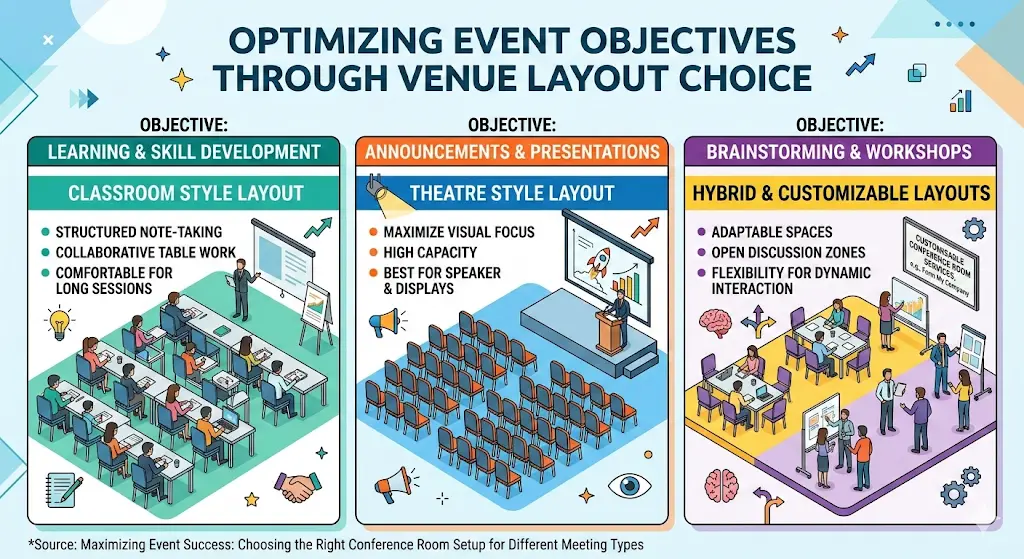
How Event Objectives Drive Layout Choice
Different business events demand different spatial experiences. Understanding the event’s objective simplifies layout selection:
For Learning or Skill Development:
Choose a classroom style. This layout ensures attendees can take structured notes, work collaboratively, and review materials comfortably during long sessions.
For Announcements or Presentations:
Opt for theatre style. The clean, unobstructed seating arrangement maintains visual focus while showcasing speakers and visual displays effectively.
For Brainstorming or Workshops:
While not the primary comparison here, hybrid setups combining classroom rows with open discussion zones can balance structure and flexibility. This adaptability is often available through customisable conference room services, such as those offered at Form My Company’s Conference Rooms.
Lighting, Acoustics, and Comfort Considerations
The visual and auditory atmosphere reinforces the effectiveness of both layouts. Proper lighting and sound distribution enhance concentration and engagement.
- Classroom layouts benefit from even lighting and easy access to power points, particularly for tech-driven sessions.
- Theatre layouts thrive with directional lighting that highlights the stage or podium, supported by acoustic designs that distribute sound evenly across rows.
As explored in our related post on how room layout and lighting influence meeting productivity, the environmental factors airflow, brightness, and sound quality shape cognitive performance and attendee satisfaction.
Practical Examples: Matching Layout to Meeting Purpose
- Training Seminars: Classroom layouts allow for extended sessions where participants alternate between listening and practicing tasks.
- Investor Presentations: Theatre setup highlights a concise, visual-driven experience, keeping audience focus on the stage.
- Client Pitches: Smaller hybrid environments can start in theatre format for introductions, shifting to classroom seating for interactive discussions.
Each format helps articulate your meeting’s intent whether teaching, persuading, or celebrating success.
Technology Integration Across Layouts
Modern Conference Room Services now merge technology with design convenience. Depending on the layout, certain technologies perform better:
- Classroom setups often integrate built-in plug points, monitors, and note-taking surfaces.
- Theatre setups emphasize large display screens, wireless microphones, and central control systems.
At Form My Company, smart connectivity and modular design ensure every Conference Room supports multiple meeting formats without manual reconfiguration. This not only improves attendee experience but also saves valuable preparation time.
Budget and Logistics Factors
Cost-efficiency depends largely on space density and resource use. Theatre-style seating generally reduces setup costs per attendee, while classroom formats may increase equipment, furniture, and space demands.
While both can fit within professional budgets, the right choice maximises ROI by aligning the physical setup with intended outcomes learning efficiency, audience capacity, or brand impact.
Customisation and Flexibility: Blending the Benefits
As the corporate meeting landscape evolves, hybrid configurations are becoming popular. Combining elements from both classroom and theatre arrangements allows companies to achieve both engagement and efficiency.
Form My Company’s modern Conference Rooms are designed to convert layouts seamlessly transforming from classroom to theatre orientation within minutes. Flexible partitions, rolling furniture, and modular AV solutions mean one space can host a seminar in the morning and an investor reveal by afternoon.
For organisations that value space adaptability and brand presentation, this level of customisation ensures continuity across all meeting types. Our customisable conference room solutions at Form My Company highlight how modular design empowers businesses to meet diverse needs without logistics challenges.
Choosing the Right Setup for Your Next Event
In essence, your conference setup choice depends on purpose, audience, and experience goals.
- Choose classroom style when your objective is education, training, or interaction.
- Choose theatre style for communications, launches, and keynotes focused on delivery rather than discussion.
Whichever you choose, align the spatial design with functionality, ensuring attendees remain comfortable, attentive, and engaged from start to finish.
At Form My Company, every Conference Room Service is engineered to enhance professional collaboration, flexibility, and brand image. By understanding the link between layout design and meeting objectives, we help clients create spaces that truly empower their teams.
What is the difference between a meeting room and a conference room?
A meeting room is typically used for small, informal discussions, while a conference room supports larger groups and more formal business events. From My Company’s Conference Rooms are designed with advanced AV equipment and flexible layouts for presentations, workshops, or corporate gatherings.
How many people can a conference room typically accommodate?
The capacity of a Conference Room depends on its layout classroom, boardroom, or theatre style. At From My Company, spaces range from small rooms for 6–10 participants to large setups hosting 50 or more attendees.
What technology is included in modern conference rooms?
Most modern Conference Rooms include high-definition displays, video conferencing capabilities, and integrated audio systems. From My Company provides smart technology setups that enhance collaboration and ensure seamless connection between in-person and remote participants.
How do I choose the right conference room layout for my event?
The best layout depends on your event’s purpose classroom-style encourages learning, while theatre-style works best for presentations. From My Company helps businesses select configurations that optimise engagement, visibility, and attendee comfort.
Are conference rooms available for hybrid or virtual meetings?
Yes, many Conference Rooms now support hybrid and virtual setups with built-in cameras, microphones, and screen-sharing tools. From My Company offers flexible spaces designed to integrate both on-site and online participants effectively.