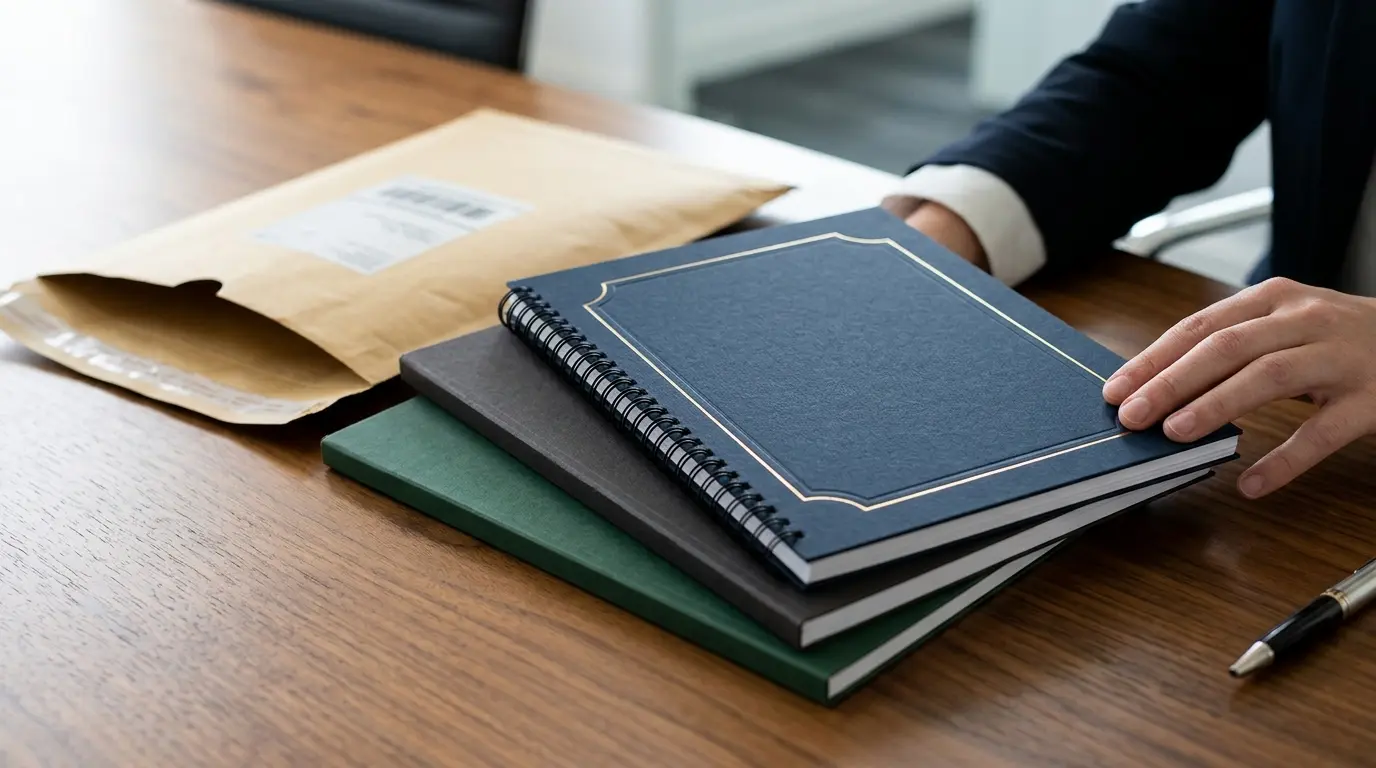

The Information Commissioner’s Office received reports of more than 11,000 paper-based data breaches between 2020 and 2025. A misplaced file or unattended printout can put sensitive company information at risk. Secure Your Printed Company Documents With Form My Company by setting clear habits for access, handling and storage.
If you’re unsure which paperwork to keep close at hand, which records to store securely or how paper files should work alongside digital copies, a straightforward filing system can help. It makes important documents easier to find and reduces the chance of loss, damage or exposure.
This guide explains how to organise and safeguard printed company records, distinguish official documents from working copies, and manage paper and digital records together. It also covers Form My Company’s Digital & Print Package and supplementary company documents. You’ll find practical steps for protecting the paperwork you hold and guidance on locating relevant company documents.
Key Takeaways
- Give original documents, working copies and digital reference files distinct roles. This makes paperwork easier to find and keeps sensitive originals from being handled unnecessarily.
- Use a regular routine to review and file company paperwork. Keep frequently used copies separate from restricted records.
- Paper and digital records can complement one another, but both need sensible access controls and suitable storage.
- Secure Your Printed Company Documents With Form My Company by learning practical ways to organise and protect paperwork, and exploring the Digital & Print Package for company formation.
- Explore supplementary company documents to find paperwork relevant to your needs.
Why secure printed company documents matter to your business
Company paperwork is easy to misplace when important records sit alongside meeting notes, draft forms and everyday printouts. A clear system helps you find the right document, keep sensitive information out of casual view and avoid treating every sheet as if it serves the same purpose.
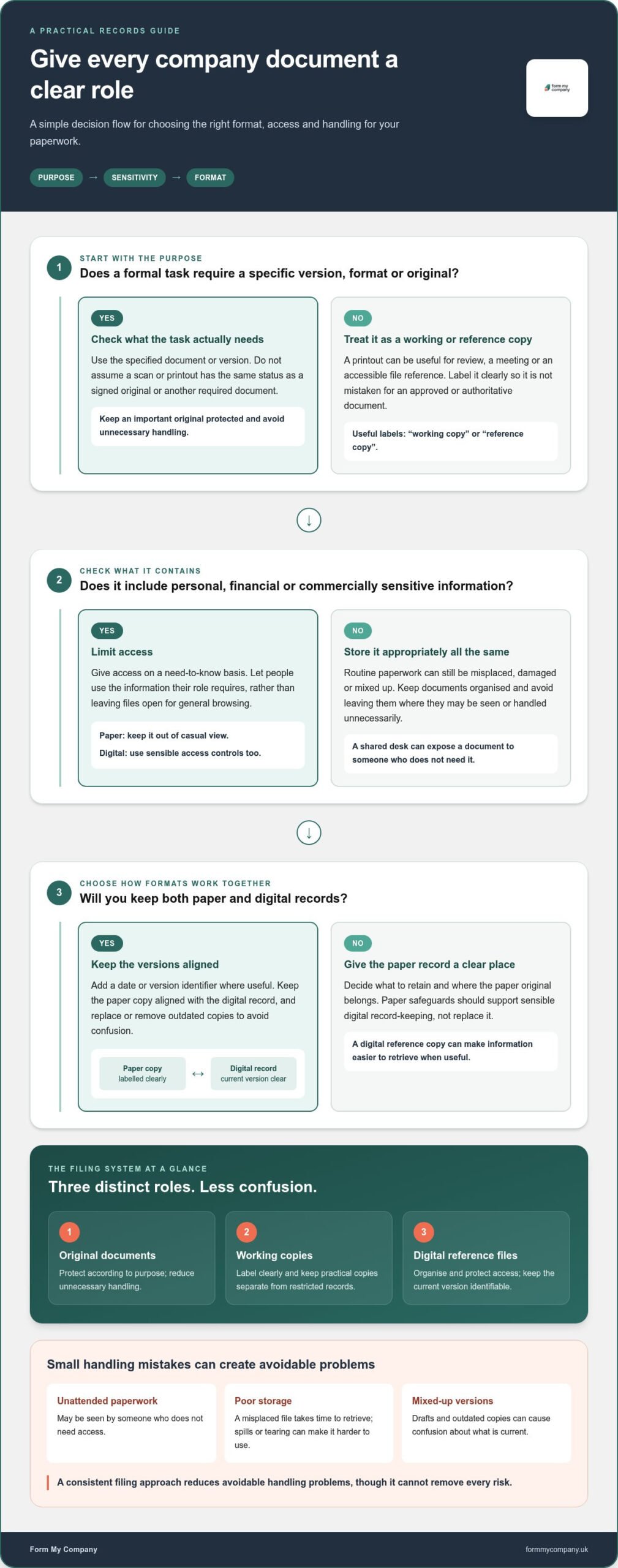
Secure document handling means controlling who can access a record, handling it carefully and storing it appropriately. This is part of good records management, which involves organising information throughout its lifecycle. Paper safeguards should support sensible digital record-keeping, not replace it. A digital reference copy can make information easier to retrieve, while the original remains protected according to its purpose.
Which printed company documents deserve particular care?
Consider both the purpose and the contents of each document. Incorporation paperwork, company registers and share certificates, where applicable, may need closer control than a routine printout for a meeting. Records containing personal, financial or commercially sensitive details also warrant careful storage and limited access.
Keep official records distinct from working copies and temporary notes. Label or file them clearly so a draft isn’t mistaken for an approved document, and routine use doesn’t lead to unnecessary handling of an important original. If you’re looking for particular company paperwork, see Form My Company’s supplementary company documents.
What can go wrong when paperwork is unmanaged?
A document left on a shared desk may be seen by someone who doesn’t need it. A misplaced file can take time to retrieve, while spills, tearing or other damage may make a paper record harder to use. Mixed-up drafts can also cause confusion about which version is current. These problems aren’t inevitable, but disorganised handling makes them more likely.
Secure company document handling means knowing what each record is, limiting access to people who need it and storing it appropriately. A consistent filing approach reduces avoidable handling problems, though it can’t remove every risk. Decide what to retain, where the paper original belongs and whether a digital reference copy would be useful. Keep the two formats organised together without assuming either one makes the other unnecessary.
To Secure Your Printed Company Documents With Form My Company, start by giving each paper record a clear purpose and an appropriate level of access. This distinction helps protect important paperwork while keeping routine working copies practical to use.
Are printed company documents too risky to keep? Separating concern from reality
Printing a document doesn’t automatically make it an authoritative or legally required original. A printout may be a convenient reference, while a particular task may require a specific version, format or original. Check the document’s purpose and any applicable instructions before relying on a copy. This helps prevent a useful working copy from being mistaken for the record you actually need.
When is a printed copy useful alongside a digital record?
Which details should stay private?
Look beyond the document title. A routine-looking page may contain personal details, financial information or commercially sensitive figures. Give access on a need-to-know basis: let people use the information their role requires, rather than leaving files open for general browsing. Apply the same approach to paper left on a desk and digital records visible on a shared screen.
The US Federal Trade Commission’s business guide to safeguarding personal information offers practical prompts for identifying and protecting sensitive data. It’s a US resource, not UK regulatory guidance, but its basic questions can help you review what a document contains and who needs access. For UK data-protection responsibilities, use current guidance from the relevant UK authority.
Secure Your Printed Company Documents With Form My Company by matching each copy to its purpose, keeping versions clear and limiting unnecessary access. If you’re arranging company formation paperwork, explore Form My Company’s company formation options and choose the format that suits your paperwork needs.
How to organise original documents, working copies and digital records
Give each record a clear role before deciding where it belongs. This makes the right version easier to retrieve and reduces unnecessary handling of important paperwork. Use matching labels for paper files and digital folders, such as “Company administration” or “Finance”, then add the document type and date.
| Format | Purpose | Access | Sensible storage |
|---|---|---|---|
| Original documents | The principal paper record, where an original is relevant. | Restrict access to people who need to use it. | Keep in a dry, orderly and access-controlled place suited to the document. |
| Working copies | Routine reference, review or discussion without repeatedly handling an original. | Make available to the people who need the copy for their work. | File separately from originals, and mark clearly as a copy or working version. |
| Digital reference files | Convenient access to scanned or digital records. | Use appropriate account permissions for the information. | Store in a clearly named digital folder, with a version date where useful. |
How should you store important paper records?
Group files by company function or document type, such as formation, finance or administration. Choose a dry, orderly location where access can be controlled instead of leaving sensitive paperwork in shared or frequently used spaces. Keep an inventory of each document’s title, category and storage location, but don’t copy personal, financial or confidential details into the index.
Use a consistent naming format, for example “Company administration – document type – YYYY-MM-DD”. This makes filing predictable and helps you identify older versions. Note where an original is stored in your inventory, and restrict access to the index appropriately.
How should printed and digital records work together?
Review both filing systems when a document is updated. Mark superseded copies so they aren’t mistaken for current records, and remove them from routine access where appropriate. For related paperwork, see Form My Company’s supplementary company documents.
To Secure Your Printed Company Documents With Form My Company, make your system easy to follow: name records consistently, note their locations without exposing sensitive details, and keep originals, working copies and digital references distinct.
A practical checklist for handling and protecting company paperwork
A consistent routine helps ensure new paperwork is reviewed, filed and retrievable instead of being left on a desk or mixed in with everyday printouts. Assign clear responsibility for important records, then use the same steps whenever documents arrive.
Receive, review, label, file, limit access and check regularly. Follow this sequence as a simple handling checklist:
- Receive: Take the paperwork to a suitable workspace and keep it away from shared areas while you review it.
- Review: Check that the pages are legible and appear relevant to the company record or task. If anything seems unclear or incomplete, note the issue before filing or relying on it.
- Classify: Decide whether it’s an original, a working copy or a temporary note. Mark copies clearly, and separate frequently used paperwork from records that need restricted access.
- Record: Add a neutral entry to your document inventory, such as the title, date, file location and person responsible. Don’t include sensitive personal or financial details in the index.
- File and control access: Store the document in its assigned location. Give access only to people who need it for a defined business task, and make the named custodian responsible for keeping the file organised.
- Review: Check filing locations, versions and access permissions regularly. Remove outdated working copies from everyday use so they aren’t mistaken for current records.
What should you do when company documents arrive?
Make the first review part of your routine rather than putting it off. Before the document leaves your workspace, identify where it belongs and who will maintain that file. A clear handover helps prevent paperwork being filed incorrectly or left accessible to people who don’t need it.
How can you control access and keep records findable?
Assign one named custodian, or make responsibility clear, for key records. Keep frequently used copies somewhere practical, while originals or sensitive documents remain in restricted storage. An inventory should direct authorised users to the right file without duplicating confidential contents.
For disposal, don’t discard documents simply because they’re old or superseded. Check the relevant retention period and any legal or business requirements before deciding what can be destroyed. Use a disposal method appropriate to the information, then update your inventory.
To Secure Your Printed Company Documents With Form My Company, make this routine part of your company’s paperwork habits. If you’re arranging formation paperwork, explore company formation options with Form My Company.
Get printed company documents through Form My Company
When might a Digital & Print Package suit your plans?
Form My Company also offers a Digital Package, another format to consider when planning how to manage company paperwork. To Secure Your Printed Company Documents With Form My Company, match your choice to the way you’ll organise records after formation. Printed documents complement digital record-keeping, but don’t automatically replace it.
Where can you find related company documents?
Form My Company offers supplementary company documents for people looking for related paperwork. Once you have the documents you need, use the same filing and access system for new records as for the paperwork already in your company files.
Take the next step by reviewing the available company formation packages and considering which format fits your plans. For an overview of Form My Company, explore the available company formation options.
Put a clear company paperwork system in place
Printed company records don’t have to become a source of worry. Keep originals, working copies and digital references distinct, store sensitive paperwork appropriately and limit access to people who need it. A simple routine for reviewing and filing documents makes important records easier to find and reduces avoidable handling risks.
Secure Your Printed Company Documents With Form My Company by pairing thoughtful document care with the paperwork option that suits your formation plans. Form My Company offers a Digital & Print Package alongside supplementary company documents. These options can help you consider how printed paperwork will fit with your digital records.
Ready to take the next step? Explore Form My Company’s company formation options and choose a package that fits your plans. A consistent system and suitable paperwork choices can help you build an organised foundation for your company records.
Frequently Asked Questions
How should I keep printed company documents secure?
Keep important paperwork in a dry, orderly place where access is limited to people who need it. Separate originals from frequently used working copies, label documents clearly and keep a basic index showing their type and storage location. Don’t include sensitive details in the index. Review filing arrangements and access regularly, and check relevant retention requirements before disposing of company records.
Are printed company documents safer than digital copies?
Which company documents should I keep as printed copies?
Choose printed records according to their purpose, sensitivity and how you need to use them. You might keep an important original, such as relevant incorporation paperwork, separately from routine printouts or working notes. Company registers or share certificates may also need careful handling where they apply to your business. Check whether a particular task requires an original or a specific format before relying on a printout.
Can I scan company documents and dispose of the paper originals?
Don’t assume a scan means the paper original can be destroyed. A digital copy can make information easier to access, but it may not meet the requirements of a particular task or replace an original where one is needed. Before disposal, check the document’s purpose, applicable retention periods and any legal or business requirements. If disposal is appropriate, use a method suited to the sensitivity of the information.
What is the difference between a company pack and supplementary company documents?
These terms describe different types of company paperwork. Their contents and purpose depend on the description of each option, so review that information to identify what relates to your requirements. Keep any documents you obtain organised with your existing company records.
Does the Digital & Print Package include printed company documents?
The Digital & Print Package is a company formation option for people considering digital and printed paperwork together. Review the package information to understand its scope before choosing it for a particular paperwork need. Once you receive company documents, label and file each record appropriately, and organise printed paperwork alongside relevant digital records.