
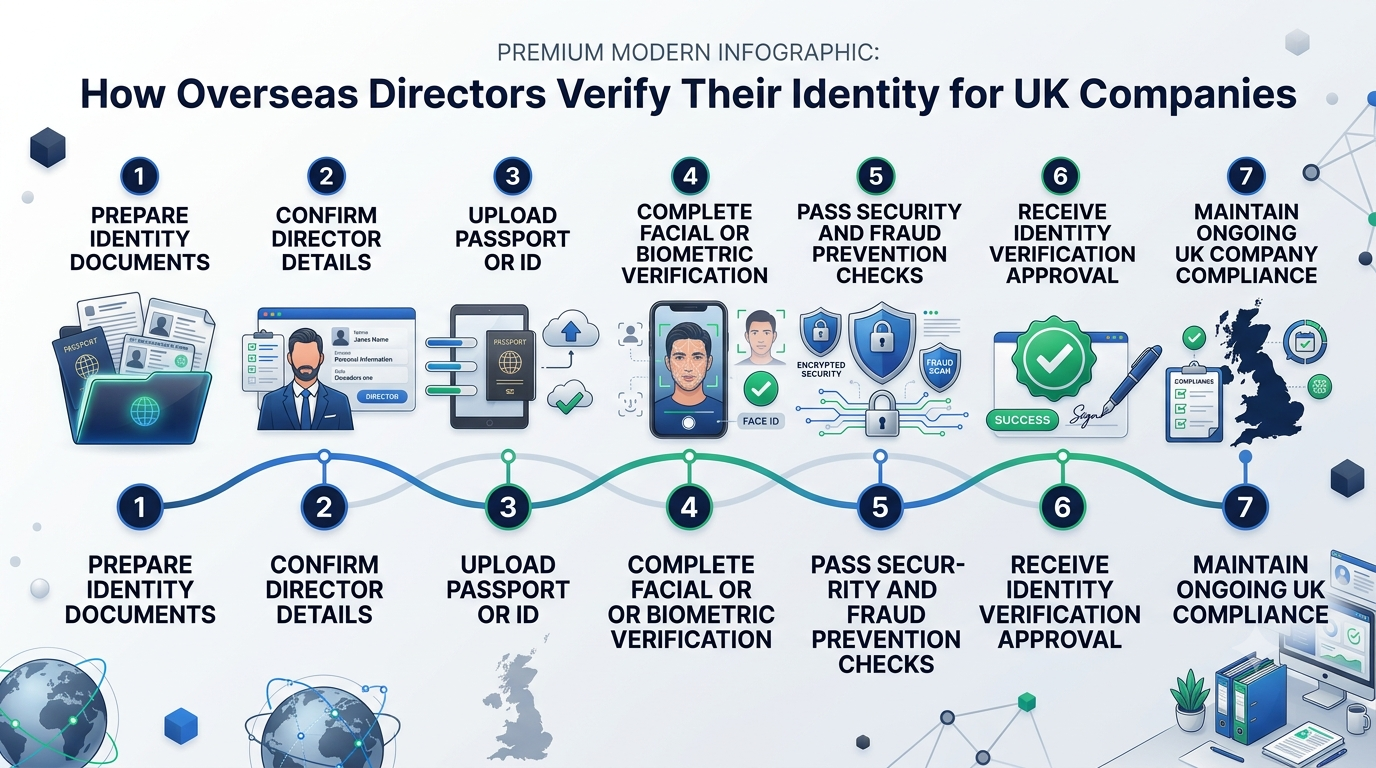
Verify Identity as an Overseas Director
If you’re an overseas director of a UK limited company, identity verification isn’t optional under the Economic Crime and Corporate Transparency Act (ECCTA). But going through the process from abroad brings practical considerations that UK-based directors don’t face: which route works best from your location, which documents to use, how to handle any biometric verification steps remotely, and how to make sure everything reaches Companies House correctly. At Form My Company, we’re an Authorised Corporate Service Provider (ACSP), and we handle overseas director verification remotely as part of our services. This guide walks you through exactly how to verify your identity as an overseas director, step by step.
Before You Start: What to Understand
Identity verification became mandatory for all UK company directors and PSCs at Companies House from 18 November 2025. This applies to overseas directors just as it does to UK-based ones, with no exemption based on residency.
Once verified, you receive a unique personal code that confirms your status. This code stays with you across all your UK company roles, so future appointments don’t usually need re-verification.
For overseas directors, the practical question isn’t whether to verify, but how to do it from wherever you’re based. The good news is that verification can be completed entirely online.
Step 1: Choose the Right Verification Route
There are two ways to verify your identity, and choosing well matters more for overseas directors than for UK residents.
- Route 1: Direct verification with Companies House through GOV.UK One Login.
- This is done through the GOV.UK One Login app on your mobile device. The app walks you through document upload and a biometric selfie check. There’s also an in-person option at a UK post office, but that’s rarely practical for overseas directors.
- Best when: You have a standard biometric passport from a country whose documents the app recognises well, and you’re comfortable navigating UK government digital services.
- Route 2: Verification through an Authorised Corporate Service Provider (ACSP).
- An ACSP is a UK-regulated corporate services firm authorised under the ECCTA to verify identities on behalf of Companies House. They handle the verification, confirm it to Companies House, and issue you your unique personal code.
- Best when: You want experienced help with international documents, you have any edge cases (like a name change), you want the verification bundled with other services like company formation or filings, or you simply want the process to be as smooth as possible from abroad.
For most overseas directors, the ACSP route is the practical choice. As an ACSP, Form My Company handles overseas director verification remotely through our secure platform.
Step 2: Prepare Your Documents
Whichever route you take, you’ll need the following ready:
- A valid, in-date biometric passport. This is by far the most reliable document for overseas directors. Non-biometric passports and national ID cards from some countries may not be accepted, so a biometric passport is the safest choice.
- Your Companies House record details. Your full legal name and residential address exactly as they appear on your Companies House record.
- A stable internet connection. For biometric verification, you’ll need reliable internet on a device with a camera.
- Good lighting. For clear ID and selfie photos.
- Before starting the verification, check that:
- Your passport is in date. An expired passport won’t work.
- Your name on Companies House matches your passport exactly. Including middle names, punctuation, and any special characters. If there’s a mismatch, update Companies House first.
- Your residential address on Companies House is current. If you’ve moved recently, update your Companies House record before verifying.
- Any previous name changes are documented. If you’ve legally changed your name since being appointed, be ready to provide supporting documentation.
Preparation prevents the most common causes of verification delays.
Step 3A: Verify Directly with Companies House (App Route)
If you’re going through GOV.UK One Login directly, here’s the process:
- Download the GOV.UK One Login app. Available for iOS and Android.
- Create an account or sign in. Use an email address you can access reliably.
- Start the identity verification flow. The app will guide you through document capture.
- Photograph your passport. Follow the instructions carefully. Good lighting, no glare, and holding the passport steady all matter. The app will scan the biometric chip on your passport, so make sure you’re near-field-communication (NFC) capable on your device.
- Complete the biometric check. You’ll be asked to take a selfie or follow a short video prompt (like turning your head or blinking) to prove you’re a real person matching the passport.
- Wait for verification. Straightforward cases are processed quickly, sometimes in minutes. More complex cases can take longer.
- Receive your unique personal code. Once verified, you’ll be issued a code confirming your status.
- Link the code to your Companies House record. Follow the app instructions to connect your verified status to your director profile.
For UK residents with UK biometric passports, this route works reliably. For overseas directors, results vary depending on how well your country’s passport is recognised by the app. If you hit any issues, the ACSP route is usually the answer.
Step 3B: Verify Through an ACSP (Recommended for Most Overseas Directors)
The ACSP route follows a similar broad pattern but with more support:
- Start with the ACSP. For Form My Company, this begins with contact through our platform, either as part of company formation, a director appointment, or a standalone verification service.
- Provide your details. You’ll share your full legal name, residential address, and passport details.
- Complete document upload. Through the ACSP’s secure platform, you upload photos of your biometric passport.
- Complete biometric verification. A selfie or short video prompt, done through the ACSP’s platform or a linked service.
- ACSP compliance review. The ACSP checks the documents match the Companies House record, that your ID is valid, and that biometric data confirms your identity.
- Verification confirmed to Companies House. The ACSP submits the verification to Companies House.
- Receive your unique personal code. Companies House issues your code, which the ACSP passes on to you.
- Update your Companies House record. The ACSP or you links your verified status to your director profile.
For overseas directors, the ACSP route typically handles international passports and edge cases more reliably. Straightforward cases are often complete in minutes.
Step 4: Confirm Your Verification Is Reflected on Companies House
Once verification is complete, check that it shows on your Companies House record:
- Search your company on the Companies House public register. At gov.uk/get-information-about-a-company.
- Find your director profile. You should be listed as verified.
- Save your unique personal code. In a secure place. You’ll use it for any future UK company roles.
- Save any confirmation emails. From Companies House and (if applicable) the ACSP.
This confirms that your verification is on record and ready to be used for filings, appointments, and other Companies House interactions.
Step 5: Use Your Verification for Future Appointments
Your unique personal code is generally valid across all your UK company roles. If you later:
Take on a new directorship at a different UK company. Your existing verification usually satisfies the requirement for that role.
- Become a PSC of another company. Your code covers PSC status too.
- Become an LLP member. The code applies to LLP roles as well.
Re-verification is only required in limited specific circumstances. For most overseas directors, one verification covers everything going forward.
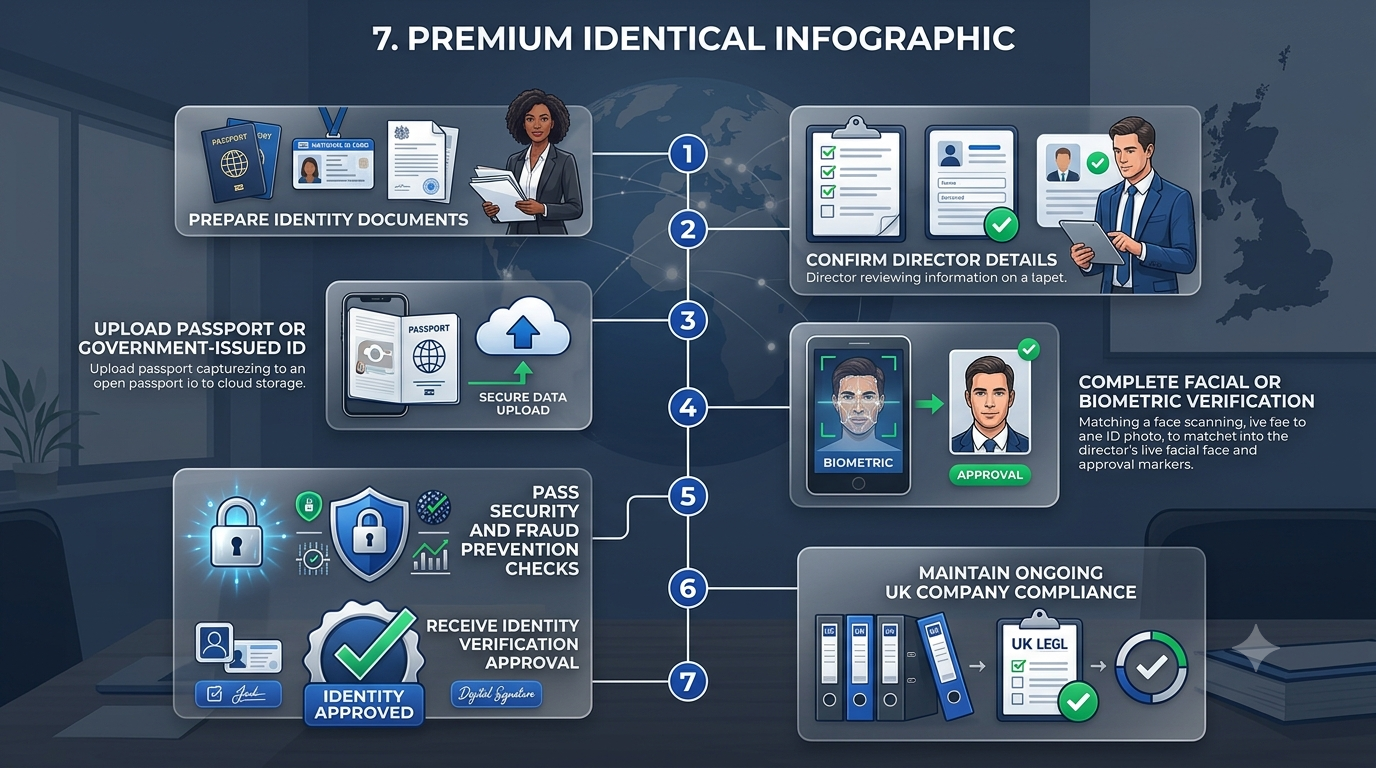
Common Issues Overseas Directors Face
A few problems come up regularly. Here’s how to handle them:
- “My country’s passport isn’t fully recognised by the app.” Use the ACSP route. ACSPs handle a wider range of international documents than the standard app.
- “The app rejected my selfie.” Make sure lighting is good, background is neutral, and you’re following the prompts exactly. If it keeps failing, try again in different lighting or switch to the ACSP route.
- “My passport just expired.” You’ll need a valid, in-date passport. Renew first, then verify.
- “My Companies House name is slightly different from my passport.” Update your Companies House record first (this may need a director’s details change filing) so the two match, then verify.
- “I moved country recently.” Update your residential address on Companies House first if it’s out of date, then verify.
- “I’m both a director and a PSC. Do I verify twice?” No. One verification covers both roles. Your single personal code applies to all your UK company involvements.
- “I don’t have a UK address to receive anything.” Verification doesn’t require a UK address for you personally. Your Companies House registered office should be a UK address (which your company services provider handles), but your personal residential address on Companies House can be your overseas address.
- “The verification failed and I don’t know why.” For direct verification, check the app for guidance. For ACSP verification, your provider can help diagnose and resolve. Common causes are document quality, name mismatches, or biometric check issues.
Overseas Directors and Time Zones
Verification is a 24/7 process for direct app verification, so time zones aren’t a hard constraint there. For ACSP verification, response times align with UK business hours, which can matter if you need help resolving an issue.
Plan verification well ahead of any deadline (like a company formation, director appointment, or confirmation statement filing). Overseas directors sometimes leave things to the last minute and hit unnecessary stress when small issues arise.
When to Verify
The right timing depends on your situation:
- Forming a new UK company. Verify as part of the formation process. Your ACSP-based formation package can include verification, so it’s handled at the same time as incorporation.
- Being appointed to an existing UK company. Verify before the appointment is filed with Companies House. You can’t be officially appointed as director until verification is complete.
- Existing directors who haven’t verified. Verify as soon as possible. Existing directors have transition period deadlines, typically aligned with your next confirmation statement.
- Preparing for a new appointment at another UK company. Your existing personal code covers you, so no new verification is needed.
Ideally, don’t wait until a deadline is pressing. Verification is usually quick, but occasional complications happen.
Documents You Should Have Handy for Your Verification
To recap, before starting:
- Valid, in-date biometric passport
- Full legal name matching your Companies House record
- Residential address as recorded on Companies House
- Access to a device with a camera and stable internet
- Access to your Companies House login or your ACSP’s platform
- Any documentation of past name changes if relevant
For most overseas directors, this is a modest checklist. Being prepared prevents most delays.
How Form My Company Helps
As an Authorised Corporate Service Provider (ACSP), we handle identity verification for overseas directors as part of our services. We can:
- Complete your identity verification remotely from wherever you’re based
- Handle international passports and documents that may not work smoothly through the standard app
- Coordinate verification with company formation, director appointments, and ongoing compliance
- Verify multiple directors and PSCs of the same company in one process
- Handle any edge cases like name changes or document discrepancies
- Support you in updating your Companies House record if it needs adjustment before verification
- Issue confirmation of your verification and store your unique personal code securely
- Bundle verification with related services (registered office, director’s service address, confirmation statement filing) so overseas directors have one contact for all their UK compliance
For overseas directors especially, our ACSP service is designed to make what can otherwise be a fiddly cross-border process feel simple.
Verify Your Identity as an Overseas Director Today
Identity verification is now a fundamental part of running a UK company as an overseas director, and getting it done correctly protects your ability to act and keeps your company’s filings on track. With Form My Company, verification is quick, remote, and fully supported. Get in touch today and meet the requirement without any complications, wherever in the world you’re based.
Frequently Asked Questions
How do I verify my identity as an overseas director?
You have two routes: direct verification through the GOV.UK One Login app (using your biometric passport), or through an Authorised Corporate Service Provider (ACSP) which handles the verification remotely on your behalf. For most overseas directors, the ACSP route is smoother.
What documents do I need?
A valid, in-date biometric passport is the most reliable document. You’ll also need your Companies House record details (full legal name and residential address) to match exactly. Additional documents may be needed if you’ve changed your name or have other edge cases.
Do I need to visit the UK to verify my identity?
No. Identity verification is fully remote, whether through the GOV.UK One Login app or through an ACSP. You can complete the whole process from wherever you’re based.
How long does verification take?
For straightforward cases with a valid biometric passport, verification is often completed in minutes. More complex cases with document issues or unusual circumstances can take longer, but it’s rarely more than a few days.
Which is better for overseas directors: direct verification or an ACSP?
The ACSP route is usually smoother for overseas directors, particularly if your country’s passport isn’t fully recognised by the standard app, if you have any edge cases in your documents, or if you want the verification bundled with other services like company formation.
What if my verification fails?
For direct verification, check the app for guidance and try again. For ACSP verification, your provider can help diagnose and resolve the issue. Common causes are document quality, name mismatches, or biometric check issues, which are usually resolvable.
Once I’ve verified, do I need to verify again for every new UK role?
No. Your unique personal code is generally valid across all your UK company roles (director, PSC, LLP member), present and future. Re-verification is only required in specific limited circumstances.