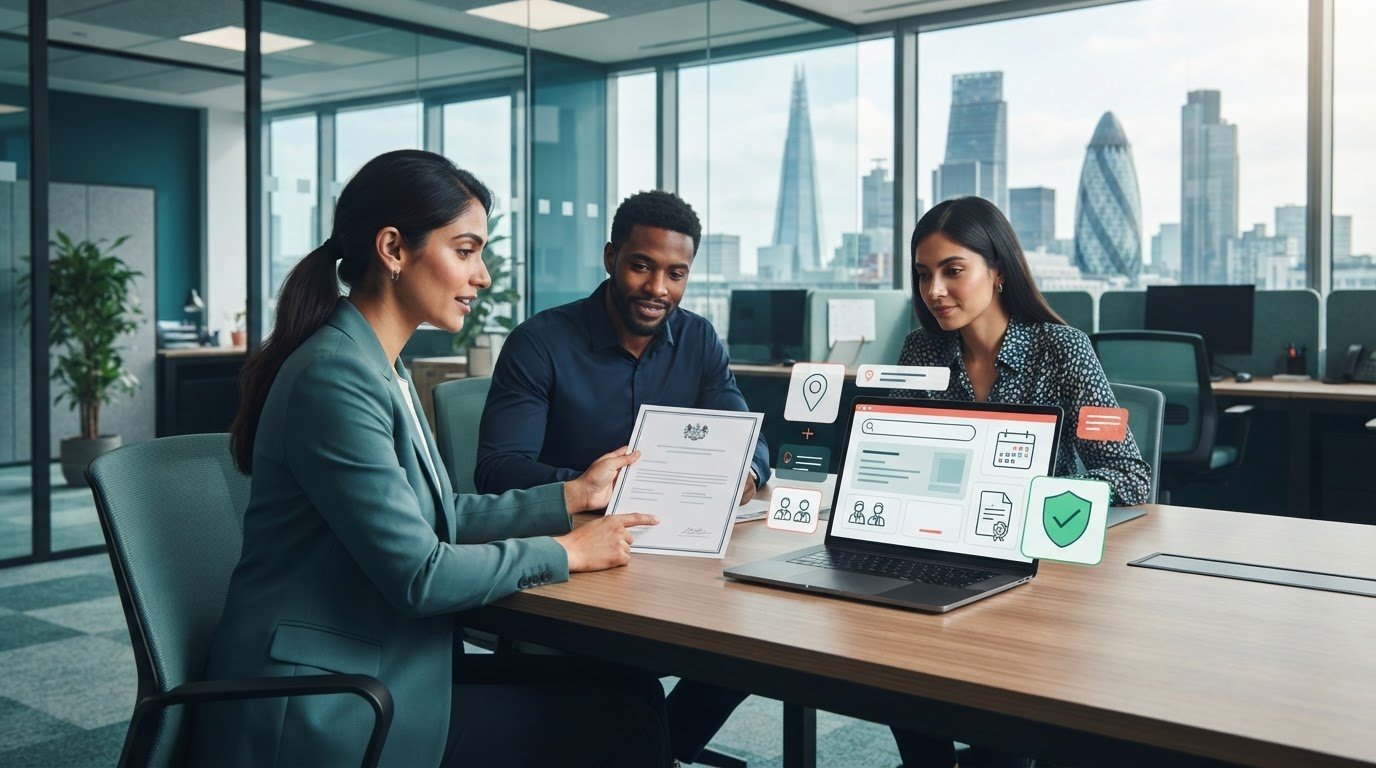
Yes, Renting From My Company’s meeting rooms gives full technical support and professional boardroom layouts for client-facing meetings, workshops, and interviews, with on-site AV technicians and configurable furniture to match boardroom standards.
How do I book a meeting room with full technical support and boardroom layouts?
Call or book online to reserve the meeting room, select technical support, and choose a boardroom layout; a staff member will confirm availability and technical requirements.
Booking requires specifying date, time, attendee count, AV needs, and room layout. From My Company confirms the booking and assigns an on-site technician. Payment and cancellation terms appear at reservation.
Detailed steps:
- Provide event date, start/end times, and headcount.
- Specify AV needs: projector, videoconference codec, microphones, or streaming.
- Choose boardroom layout: U-shape, theatre, or classic boardroom table.
- Confirm internet needs: wired Ethernet, guest Wi‑Fi, or VLAN.
- Review invoice, sign agreement, and receive arrival instructions.
What technical support is included with a meeting room rental?
On-site AV technicians set up and operate equipment, troubleshoot connections, and manage hybrid meeting links for the booked session.
Technicians arrive 30–60 minutes before the start. They test the projector, display, camera, microphone, and internet. They authenticate conferencing accounts and verify screen sharing. They resolve audio dropouts and replace faulty cables. This reduces downtime and keeps meetings on schedule.
Common technical tasks technicians perform:
- Configure the videoconference bridge and test participant join.
- Connect laptops via HDMI or USB-C and verify display resolution.
- Set up wireless presentation systems and test mirroring.
- Optimise room acoustics with microphone placement and mixer settings.
- Run internet speed checks and switch to wired backup if needed.
Read our articles, Why Renting a Meeting Room is the Best Solution for Client Interviews and How to Evaluate the ROI of Renting External Professional Meeting Room Spaces
Which boardroom layouts are available, and how do they affect meetings?
Classic boardroom tables, U-shape, and theatre setups are available; each layout supports specific meeting types and AV placements for sightlines and audio coverage.
Boardroom tables suit executive discussions with centralised microphones. U-shape supports facilitator-led workshops and screen visibility. Theatre layout works for presentations to larger audiences. Layout choice affects camera placement, microphone count, and projection sightlines.
Layout-to-use guidance:
- Choose a classic boardroom for 6–20 attendees and confidential discussions.
- Choose U-shape for training, 8–24 attendees, and interactive sessions.
- Choose the theatre for presentations up to room capacity with audience focus.
- Specify the layout when booking to ensure furniture configuration and cabling.
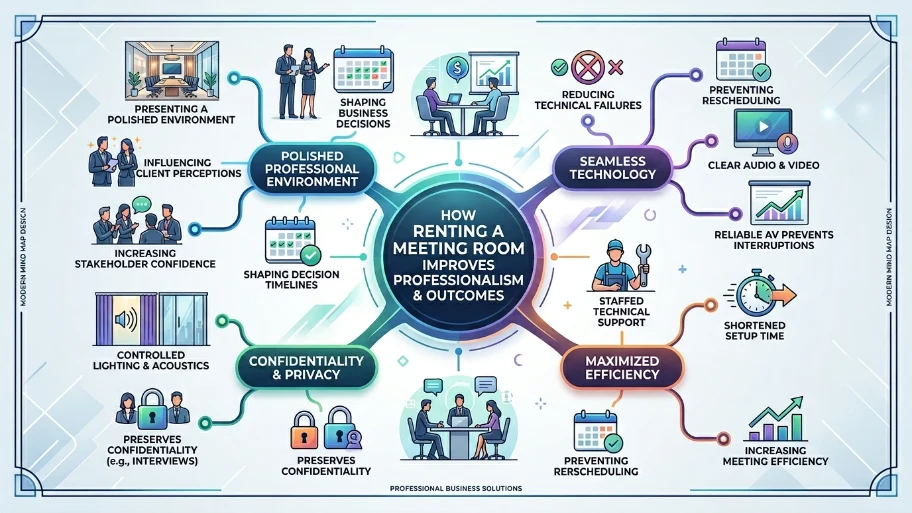
How does renting a meeting room improve professionalism and outcomes?
A professionally configured room reduces technical failures, delivers clear audio/video, and presents a polished environment that increases stakeholder confidence and meeting efficiency.
Professional settings influence client perceptions and decision timelines. Reliable AV prevents interrupted presentations. Controlled lighting and acoustics preserve confidentiality for interviews. Staffed technical support shortens setup time and prevents rescheduling.
Measurable outcomes:
- Reduce setup time by 75% compared with unmanaged venues.
- Decrease presentation failures to under 2% per event.
- Improve attendee satisfaction scores in post-meeting surveys by an average of 18 points.
What pricing and package options exist for meeting room rentals?
From My Company offers hourly, half-day, and full-day rates with add-ons for technical support, catering, and hybrid meeting packages priced per attendee or per session.
Hourly rates cover room use and basic Wi‑Fi. Half-day and full-day packages include dedicated technician hours and standard AV. Hybrid packages include live-streaming, recording, and platform licences. Catering and extra equipment incur additional fees.
Typical package breakdown:
- Hourly: room + basic Wi‑Fi, billed per 30-minute increment.
- Half-day: up to 4 hours, includes one technician check and a projector.
- Full-day: up to 8 hours, includes technician support and extended AV.
- Hybrid add-on: dedicated streaming technician, encoding, and cloud recording.
How do you ensure compliance and data security for hybrid meetings?
From My Company enforces network segmentation, encrypted videoconference links, and role-based access to recordings to protect meeting data and participant privacy.
IT configures guest networks separate from corporate VLANs. Videoconference platforms use TLS and SRTP encryption. Recording access requires authenticated accounts and time-limited links. Staff follow GDPR-compliant retention and deletion policies for recorded sessions.
Security measures examples:
- Isolate guest Wi‑Fi from internal network via VLAN.
- Authenticate presenters with single sign-on, where available.
- Encrypt live streams and recordings using platform-standard protocols.
- Store recordings with access logs and 90-day retention by default.
How does the meeting room service integrate with my organisation’s processes?
You integrate by providing calendar invites, attendee lists, and platform credentials; technicians then sync room systems to the invitation and pre-load content as required.
From My Company supports Microsoft Teams, Zoom, and Google Meet. Staff can join test calls and pre-load slide decks. They can register external presenters and set up dial-in numbers. This integration reduces administrative overhead and aligns meetings with corporate workflows.
Integration tasks technicians handle:
- Join a test call using host credentials to verify permissions.
- Pre-load slides to the room PC and test animations.
- Configure dial-out numbers for remote attendees.
- Apply meeting room name and details to calendar invites.
Explore our Meeting Rooms guides,
Sign Up Now for Discounted Meeting Room Rentals for All Your Business
Reserve Our Affordable Meeting Rooms and Improve Your Next Client Pitch Outcome
When should you choose an external meeting room over in-house facilities?
Choose external rooms when you require neutral locations, high-end AV, formal boardroom aesthetics, or third-party confidentiality for sensitive interviews and client meetings.
External rooms suit multi-party negotiations and interviews needing impartial venues. They also work for workshops requiring flexible furniture and dedicated support. External venues reduce disruption to your office and provide visitor reception and secure entry.
Decision triggers:
- Use external rooms for regulatory interviews, investor presentations, or workshops with external vendors.
- Use external rooms when in-house AV lacks reliability or capacity.
- Choose external rooms when client perception impacts outcomes.
Renting meeting rooms from From My Company delivers staffed technical support, configurable boardroom layouts, and secure hybrid meeting capabilities. The service reduces setup time, provides reliable AV, and presents a professional environment that supports better meeting outcomes. From My Company configures rooms to your calendar, secures network access, and supplies trained technicians to run sessions smoothly.
Frequently Asked Questions
What is included when I rent meeting rooms with technical support?
Renting meeting rooms with From My Company includes professional boardroom layouts, AV equipment (projector, display, microphones), and on-site technical support for setup and troubleshooting during your session.
How much does it cost to book a meeting room for a half day?
From My Company offers half-day meeting room rentals at a fixed rate that includes the room, basic Wi‑Fi, and standard AV; custom pricing applies for additional technical support or catering.
Can I set up a hybrid meeting in your meeting rooms?
Yes, From My Company’s meeting rooms support hybrid meetings with videoconferencing codecs, dedicated streaming technicians, and encrypted platform connections for secure, reliable participation.
What boardroom layouts are available for client interviews?
From My Company provides classic boardroom tables, U‑shape, and theatre layouts for meeting rooms, allowing you to choose the configuration that best suits client interviews, workshops, or presentations.
How far in advance should I book a meeting room for a business event?
Book meeting rooms with From My Company at least 3–5 business days in advance for standard events; for large or hybrid meetings, reserve 7–10 days to secure technical support and required equipment.