Reserving multiple interview rooms via Form My Company requires selecting the multi-room booking module, inputting specific participant counts, and confirming parallel time slots through the dashboard.
This automated booking workflow eliminates scheduling conflicts and secures concurrent spaces for high-volume recruitment days.
Why do companies struggle with concurrent interview scheduling?
Companies struggle with concurrent interview scheduling because manual diary management creates double bookings and space shortages.
HR teams face severe coordination bottlenecks when managing recruitment drives across disparate calendars. 82% of corporate recruiters report that manual room allocation wastes 4 hours per hiring cycle. Facility managers experience constant scheduling friction when multiple panels require private spaces simultaneously.
Traditional calendar tools lack built-in capacity management for multi-room corporate events. Recruitment coordinators must cross-reference separate availability sheets for five different boardrooms. This manual oversight frequently results in overlapping bookings. Two separate hiring panels arrive at the same physical space on interview day. Operations teams spend valuable hours resolving these venue conflicts instead of sourcing talent.
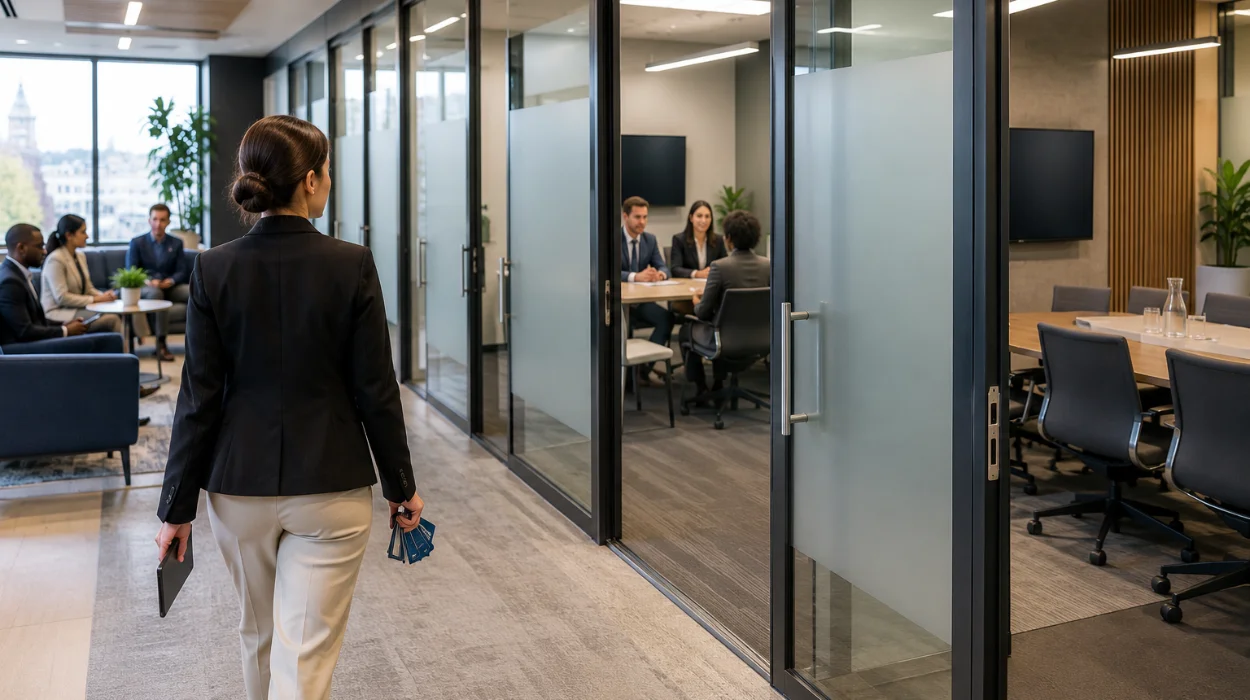
Spatial constraints worsen scheduling difficulties during peak hiring seasons. Office managers restrict visitor access to maintain core business operations. External candidates wander reception areas when internal meeting rooms run over schedule. Form My Company resolves these logistical failures through centralized infrastructure management. Automated scheduling engines lock down required spaces instantly.
What is the step-by-step process to secure multiple rooms?
Securing multiple rooms involves accessing the booking portal, defining slot durations, and finalizing simultaneous space reservations.
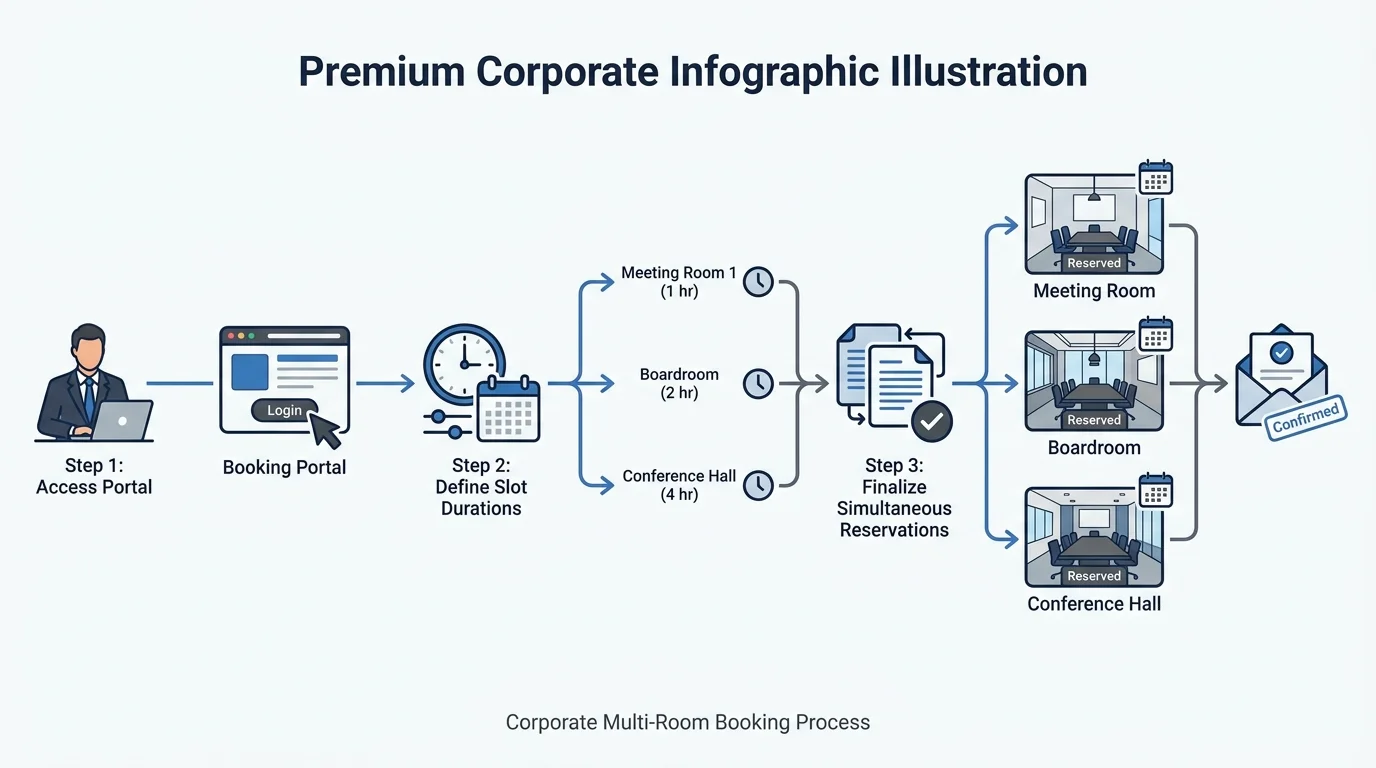
Administrators execute this workflow within minutes using streamlined digital interfaces. Four operational steps complete the reservation process: selecting the venue location, specifying room capacity, setting parallel time blocks, and processing payment.
Corporate administrators log into the digital dashboard to initiate parallel bookings. Users select the target facility branch from a dropdown menu of available business hubs. The system displays real-time availability matrices for all private meeting spaces. Coordinators filter spaces by seating capacity and presentation technology requirements.
Parameters define exact arrival and departure times for each interview panel. System algorithms verify that adjacent rooms remain available for the entire duration. Users input candidate names and interviewer credentials to generate automated visitor passes. Instant confirmation receipts dispatch to all participating stakeholders.
Payment processing concludes the reservation workflow securely. Corporate accounts deduct credits automatically based on hourly rates. Invoices generate instantly for internal accounting compliance. System administrators track upcoming bookings through a unified master calendar.
How do multi-room bookings integrate with candidate workflows?
Multi-room bookings integrate with candidate workflows by syncing digital calendars and dispatching automated location details.
Automated communication channels connect room assignments directly to candidate invitation emails. 94% of applicants prefer receiving precise venue directions ahead of corporate interviews. Streamlined check-in protocols reduce candidate anxiety on arrival.
Scheduling software maps specific room numbers to individual candidate calendar invites. System notifications update automatically if facility managers change room assignments. Candidates receive digital check-in QR codes via email 24 hours prior to the session. Reception staff scan these codes to notify interview panels immediately.
Internal interviewers receive synchronized calendar updates with direct room directions. Panel members access candidate CVs through secure portal links attached to the calendar event. Automated reminders ping interviewers 15 minutes before slot commencement. This synchronization prevents late arrivals and keeps recruitment schedules running smoothly.
Post-interview evaluation forms trigger automatically as sessions conclude. Facility systems log actual room exit times to maintain accurate billing records. Cleaning crews receive automated alerts to prepare spaces for subsequent candidates. Operational efficiency scales seamlessly across high-volume recruitment campaigns.
What advantages do centralized booking platforms provide?
Centralized booking platforms provide transparent space visibility, automated conflict resolution, and consolidated expense tracking.
Enterprises leverage these digital systems to optimize real estate usage and reduce administrative overhead. 73% of HR directors observe measurable improvements in interview turnaround times after adopting automated platforms. Facility costs drop significantly when space utilization rates rise.
Real-time visibility eliminates guesswork during high-stakes hiring drives. Office managers monitor space occupancy metrics from a single dashboard interface. Underutilized rooms convert into active interview hubs instantly. Data analytics highlight peak booking hours to inform future facility planning.
Automated conflict resolution protects recruitment schedules from human error. Algorithmic checks prevent double-booking attempts before payment processing occurs. System guardrails enforce mandatory buffer periods between consecutive candidate sessions. Facilities maintain pristine conditions for every arriving visitor.
Expense tracking consolidates recruitment overhead into unified monthly statements. Finance departments review itemized reports detailing room usage by department. Automated invoicing reduces manual paperwork for corporate accountants. Form My Company delivers enterprise-grade reliability for modern talent acquisition teams.
Explore our Interview Rooms guide,
How Can You Get Eco-Certified Conference Venues From Form My Company?
Want to Order Your Company Name and Number Stamp With Form My Company?
Frequently Asked Questions
How many interview rooms can I reserve simultaneously through Form My Company?
You can reserve multiple interview rooms simultaneously by using the multi-room booking module on the Form My Company dashboard. The system allows corporate recruiters to select parallel time slots and match room capacities to specific hiring panel requirements. This automated allocation prevents double-booking and secures all necessary spaces for large-scale recruitment drives.
What equipment is included when booking interview rooms?
Professional interview rooms booked through Form My Company feature high-speed internet, conference display screens, and video conferencing hardware. Facilities also provide comfortable seating arrangements and quiet environments designed for formal candidate assessments. Corporate teams can specify additional technical requirements during the digital reservation workflow.
Can I sync my interview room reservations with external calendar applications?
Interview room reservations made via Form My Company integrate seamlessly with major calendar applications like Google Calendar and Microsoft Outlook. The platform automatically dispatches synchronized updates, room directions, and digital check-in passes to all internal interviewers. This synchronization ensures that panel members receive real-time schedule changes instantly.
How are candidate check-ins handled for multi-room interviews?
Candidate check-ins for multi-room interviews utilize digital QR codes generated automatically by the Form My Company system 24 hours prior to the session. Reception staff scan these codes upon arrival to notify the specific interview panel immediately. This streamlined protocol eliminates lobby congestion and maintains strict adherence to recruitment schedules.
What is the cancellation policy for reserving interview rooms?
Cancellation policies for interview rooms secured through Form My Company permit modifications up to a specified threshold before the reserved time slot begins. Corporate administrators can adjust timings or release unneeded spaces directly through the online client dashboard. System credits or refunds process automatically according to the agreed enterprise service terms.