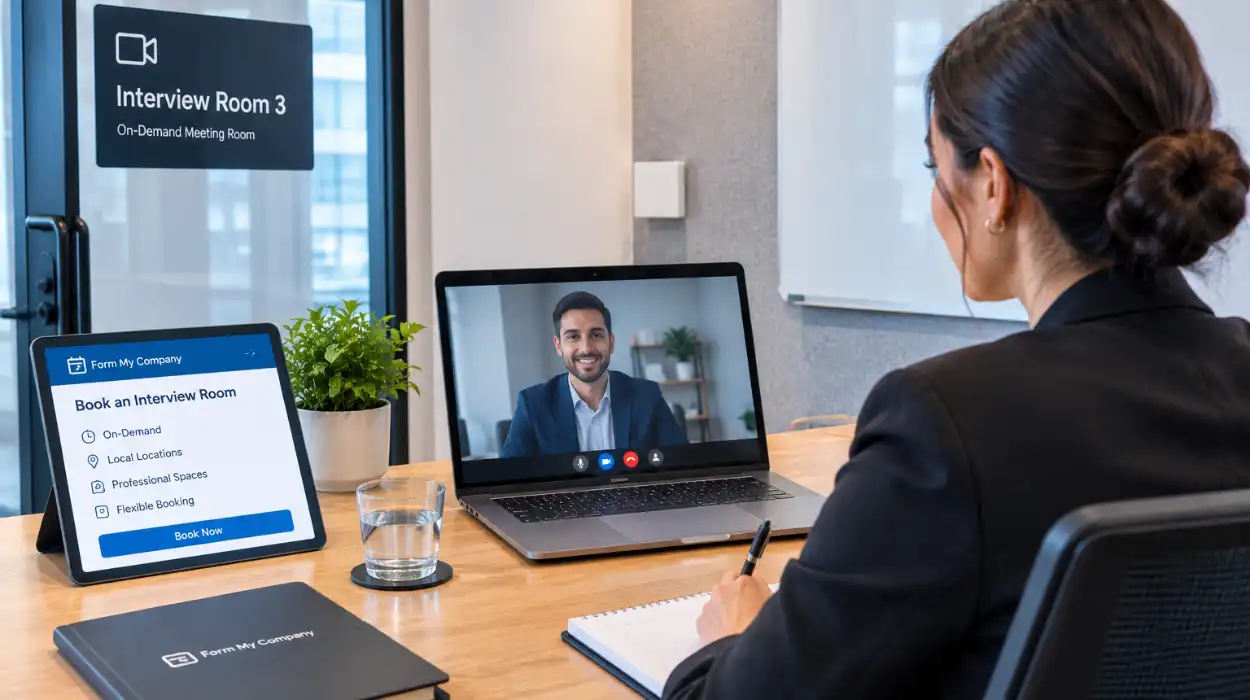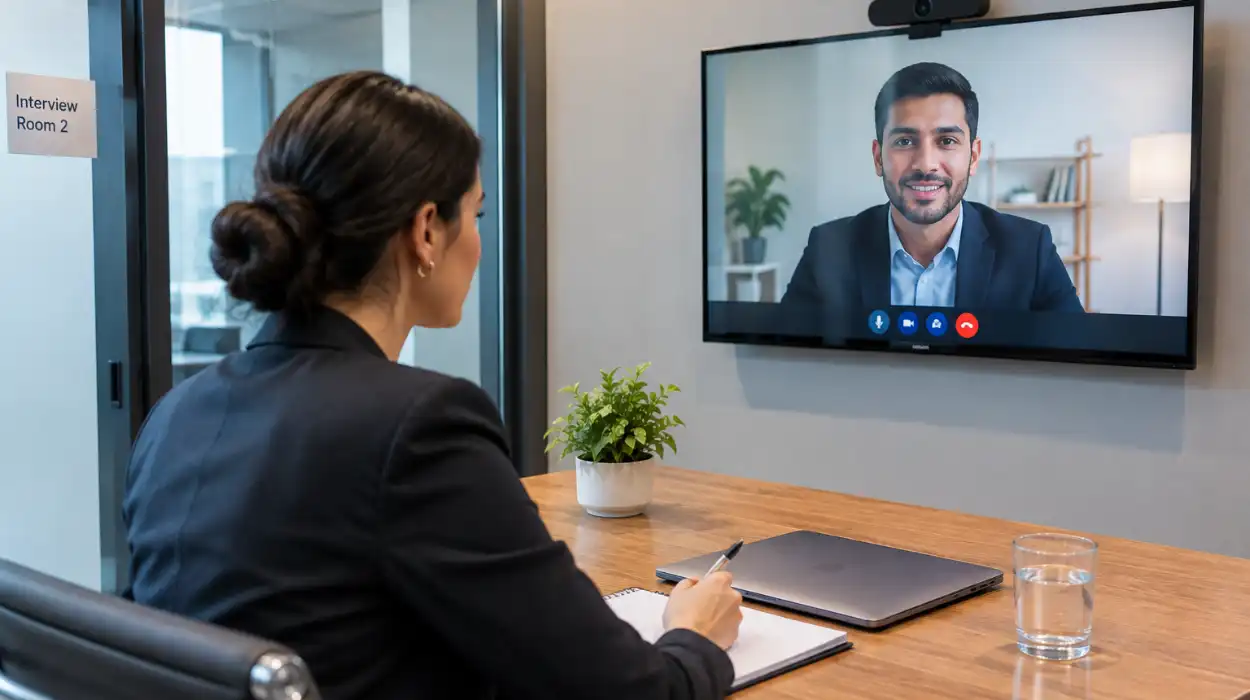

You can hire video-enabled conference venues from Form My Company by choosing your location, selecting a room equipped with high-definition displays and integrated audio, specifying your required hours, and completing your online booking. Form My Company manages setup, technical support, and full system configuration.
Why Should Businesses Rent Video-Enabled Meeting Spaces?
Renting video-enabled meeting spaces gives businesses immediate access to enterprise-grade audiovisual hardware without capital expenditure, ensures high-quality connectivity for remote participants, and simplifies room management for hybrid team discussions.
Modern corporate communication relies on flawless audiovisual delivery. Remote participants demand clear audio channels and sharp visual feeds to stay engaged during operational reviews or board meetings. Standard office setups often struggle with dropped calls, echo loops, and low-resolution video feeds. Professional conference environments eliminate these technical bottlenecks through dedicated fiber connections and commercial-grade cameras.
Enterprise AV infrastructure costs thousands of pounds in capital investment and maintenance. Small enterprises and expanding international firms gain better financial efficiency by renting managed spaces on demand. Managed venues remove hardware depreciation risks and eliminate the need for internal IT support during critical client presentations.
In-person attendees benefit from acoustically treated environments designed to suppress ambient noise. Professional spaces enhance corporate reputation while enabling seamless collaboration between on-site directors and distributed offshore teams.
| Venue Feature | Standard Office Meeting Room | Video-Enabled Conference Venue |
| Audiovisual Hardware | Webcams, basic speakers | 4K PTZ cameras, ceiling mic arrays |
| Network Infrastructure | Shared Wi-Fi network | Dedicated dual-redundant fiber |
| Technical Support | Internal IT on call | Dedicated on-site technician |
| Acoustic Design | Standard drywall, echo prone | Sound-dampened acoustic panels |
How Does The Booking Process Work For Conference Rooms?
The booking process for conference rooms requires selecting your preferred UK city location, choosing a room capacity, specifying video integration needs, selecting add-on business services, and confirming your reservation through a secure client portal.
Organisers begin by assessing their attendance metrics and technical requirements. Determining whether your event requires two-way video interaction or a broadcast-style presentation directs room selection. Once requirements are defined, you can secure fully equipped Conference Room options through Form My Company to ensure immediate technical readiness.
After choosing a venue, organisers set their schedule down to specific hourly slots. Selecting dates well in advance guarantees access to peak times, such as Tuesday and Thursday mornings. The booking interface collects detailed requirements regarding participant count, seating arrangements, and required software integrations.
The final phase involves confirming technical preferences and payment. System administrators configure the video platforms prior to your arrival. Clients receive immediate booking confirmation along with access instructions and digital guest passes for attendees.
What Technical Features Are Included In Video-Enabled Venues?
Video-enabled venues include 4K auto-framing cameras, ceiling-mounted beamforming microphone arrays, ultra-high-definition displays, dedicated high-speed fiber internet, and universal plug-and-play connectivity panels for instant laptop integration.
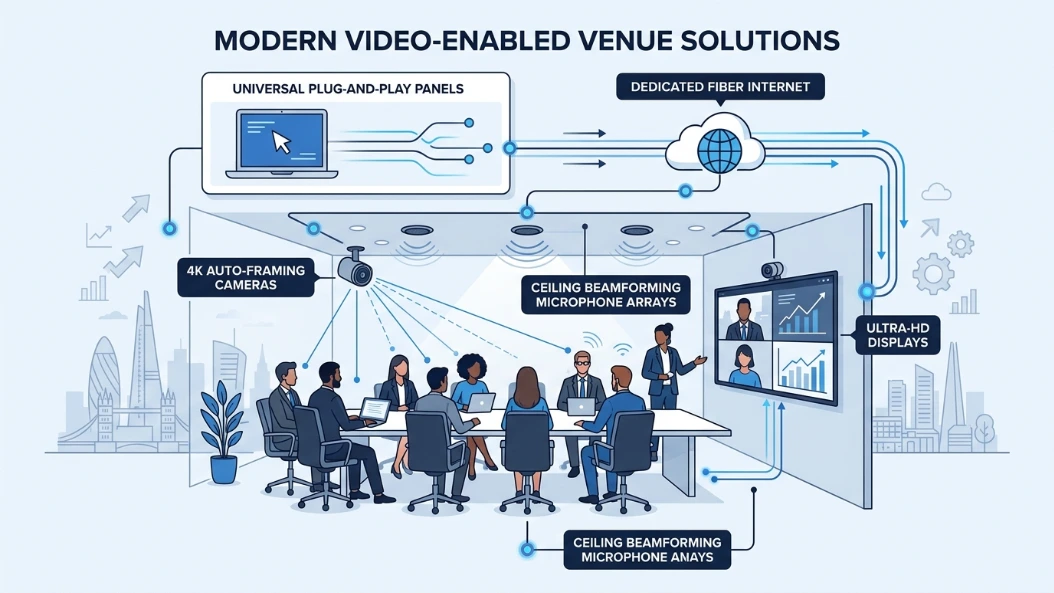
High-definition visual displays serve as the primary focus in modern conference environments. Commercial screens offer high brightness ratings and anti-glare coatings, ensuring clear visibility from every angle. Integrated PTZ cameras use auto-framing algorithms to track active speakers automatically during fast-paced discussions.
Audio quality determines meeting success more than video resolution. Advanced facilities install beamforming ceiling microphones that isolate human voices while filtering out background HVAC noise. Speakers located anywhere in the room maintain consistent audio clarity for remote participants.
Connecting personal devices to venue hardware remains simple through standardized tabletop access hubs. Presenters connect using single-cable USB-C or HDMI connections, gaining instant access to room displays, cameras, and microphones without installing proprietary software drivers.
How Do You Select The Right Conference Venue Size?
Selecting the right conference venue size requires calculating your total physical attendees, adding space for presentation equipment, checking ceiling height for proper projection, and leaving adequate room for movement.
Room capacity directly impacts participant comfort and meeting productivity. Overcrowded spaces increase ambient room temperature and reduce acoustic performance, while excessively large spaces diminish energy during collaborative sessions. Facility managers categorize room sizes based on explicit spatial parameters and layout options.
Boardroom layouts suit high-level strategic meetings involving 8 to 16 directors. U-shape configurations accommodate training sessions of 15 to 30 people where attendees require clear views of both the presenter and screen displays. Theater setups maximize physical capacity for large corporate addresses involving 50 or more participants.
When planning hybrid events, evaluate screen sizing relative to room depth. The farthest participant must easily read 12-point screen typography. Viewing distance calculations ensure remote participant video tiles remain clear to everyone in the physical room.
What Are The Steps To Register A UK Company For Global Expansion?
Registering a UK company for global expansion involves selecting a distinct company name, designating official directors, assigning shareholders, establishing a registered office address, and submitting incorporation documents to Companies House.
International founders choose UK corporate structures due to simple administrative frameworks and transparent tax systems. The registration process requires specific legal details to pass statutory checks efficiently. Reviewing Hybrid vs Fully Virtual Events: Which Format Fits Your Goals? helps businesses evaluate communication infrastructure needs alongside corporate setup decisions.
| Registration Phase | Action Required | Statutory Purpose |
| 1. Entity Selection | Choose private limited company (LTD) | Establishes limited liability protection |
| 2. Identity Verification | Verify director passports and proofs of address | Satisfies Anti-Money Laundering (AML) laws |
| 3. Address Setup | Secure a physical UK registered office address | Provides official location for government correspondence |
| 4. Document Submission | File Memorandum and Articles of Association | Defines corporate governance structures |
Completing identity verification protocols requires submitting government-issued identification documents. Directors must provide valid passport scans, national identity cards, and recent utility bills for address validation. Companies House processes complete digital submissions within 24 hours.
Establishing a physical footprint strengthens commercial credibility after registration. Businesses use corporate address services and professional meeting spaces to maintain compliant UK operations while managing daily workflows internationally.
How Does Hybrid Meeting Technology Improve Team Productivity?
Hybrid meeting technology improves team productivity by eliminating travel downtime, enabling real-time visual collaboration across geographies, capturing automated meeting transcripts, and keeping remote staff fully engaged.
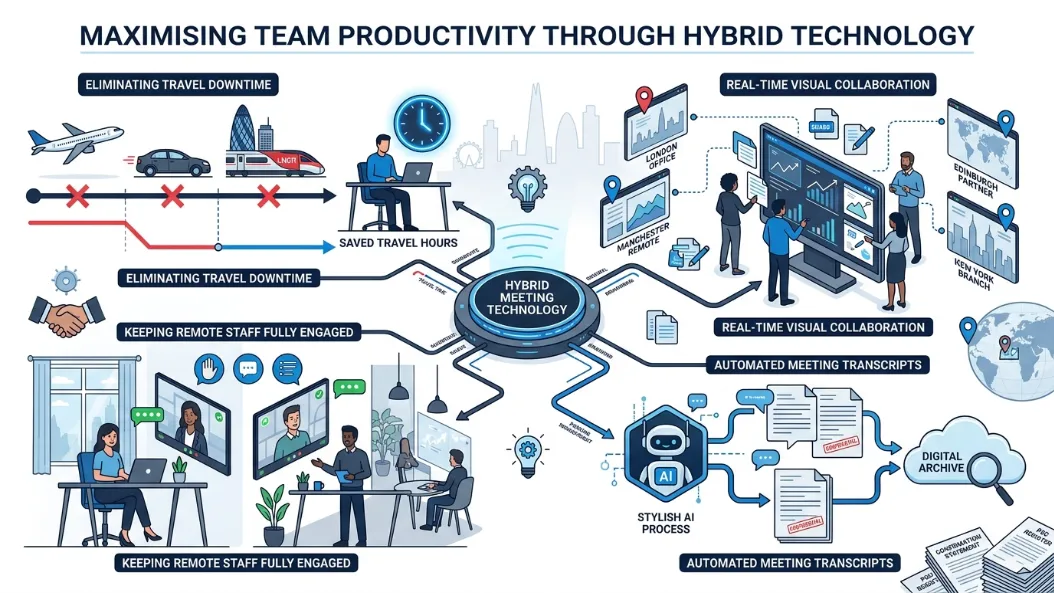
Eliminating travel requirements saves business professionals hundreds of billable hours each year. Distributed team members join high-stakes project reviews instantly without incurring transit costs or productivity losses. Rapid communication cycles accelerate project execution and client response times.
Interactive digital whiteboards allow physical and virtual participants to annotate documents simultaneously. Changes synchronize immediately across all connected displays, ensuring everyone works from the exact same version. Automated cloud recording features generate transcriptions and actionable summaries automatically.
Visual equity prevents remote participant isolation. When remote workers appear life-sized on high-resolution room displays, group dynamics remain balanced. Equal visibility ensures every team member contributes effectively to operational decisions.
Why Choose Managed Business Services From Form My Company?
Choosing managed business services from Form My Company gives your enterprise access to prime business locations, fully integrated audiovisual facilities, corporate compliance support, and flexible booking schedules.
Form My Company simplifies corporate administrative burdens by integrating essential physical and digital services into a single platform. Businesses access top-tier meeting facilities without entering long-term commercial real estate leases. Flexible terms allow organizations to scale facility usage in line with real commercial growth.
Modern operations demand reliable operational setups from day one. Choosing to Hire Video-Enabled Conference Venues From Form My Company provides instant access to state-of-the-art facilities equipped with dedicated technical support teams.
Professional administrative assistance ensures corporate communications operate smoothly. From receiving official government correspondence at professional addresses to hosting international client negotiations, Form My Company handles essential administrative logistics so executives can focus on scaling their business.
Explore our Conference Rooms guide,
Complete PSC Identity Verification With Form My Company
Reserve All-Inclusive Catered Rooms via Form My Company
Frequently Asked Questions
How much does it cost to hire a conference room from Form My Company?
Conference room hire rates with Form My Company vary based on location, room capacity, and duration, typically starting from hourly or day-rate tiers. Every booking includes access to high-definition video conferencing equipment, high-speed fiber internet, and basic technical setup without hidden maintenance fees.
What equipment is included in a video-enabled conference room?
A video-enabled conference room provided by Form My Company includes 4K auto-framing cameras, ceiling-mounted beamforming microphone arrays, anti-glare visual displays, and universal plug-and-play connectivity panels. These integrated systems ensure seamless connectivity with major virtual meeting platforms for hybrid events.
How do I book a conference room through Form My Company?
You can reserve a room by selecting your preferred UK location, specifying participant capacity and required hours, choosing your technical add-ons, and completing the reservation online. Form My Company immediately confirms your schedule and configures the audiovisual hardware prior to your arrival.
Are conference rooms equipped for hybrid and virtual meetings?
Yes, every video-enabled conference room from Form My Company is specifically built to host hybrid meetings, client presentations, and virtual corporate events. The rooms feature dedicated redundant internet lines and advanced acoustic dampening to ensure low-latency video feeds and clear, echo-free audio for remote attendees.
Can I book a conference room for a full day or multiple days?
Form My Company offers flexible reservation options ranging from single-hour bookings to full-day and multi-day venue rentals. Organizations planning extended corporate workshops or multi-day board meetings can customize their schedules and arrange ongoing technical support through the online portal.