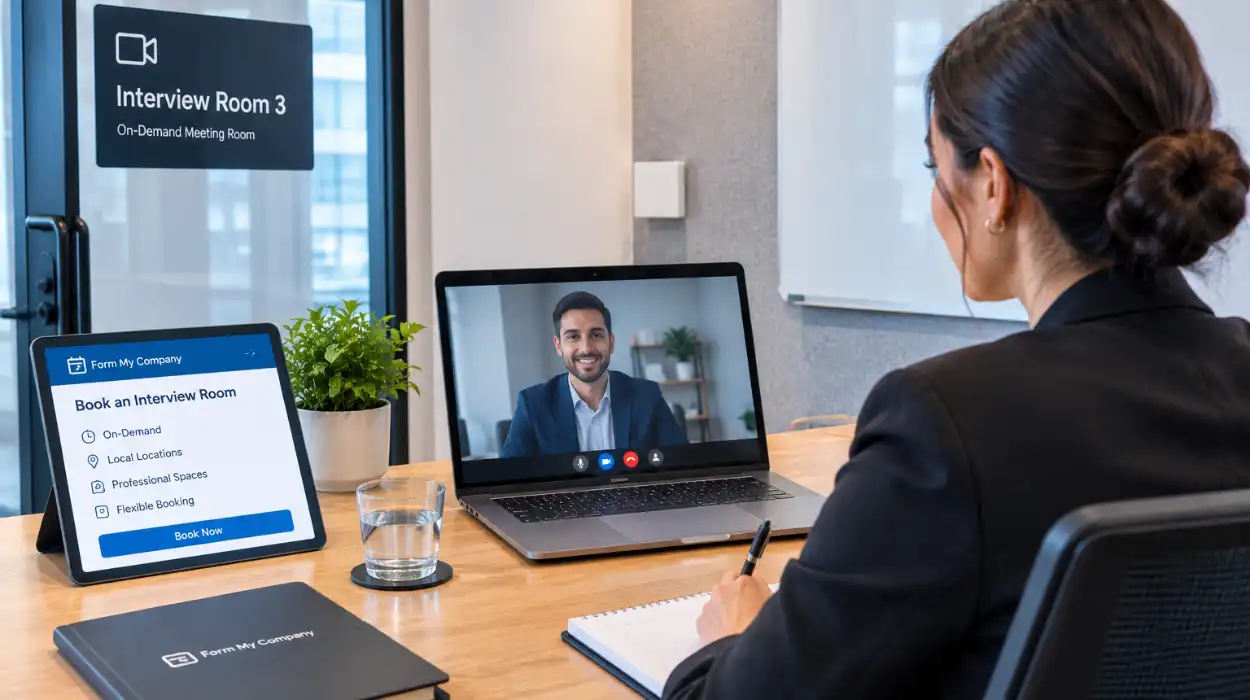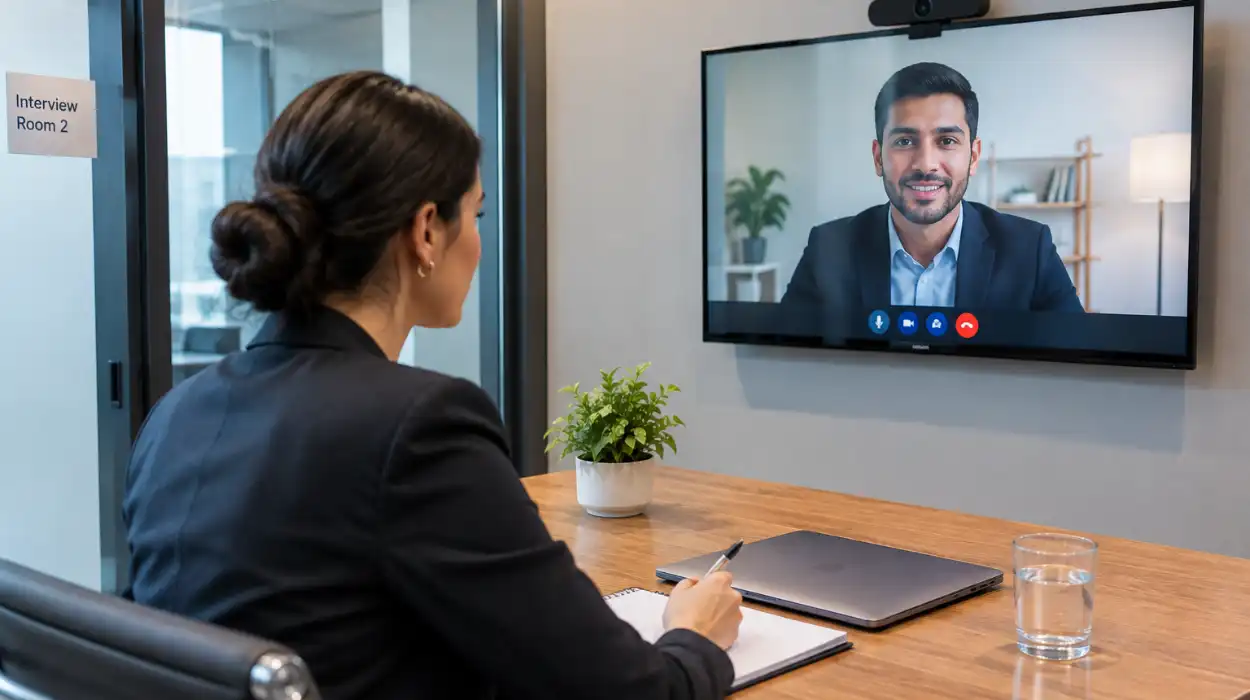
You can book live-streaming conference rooms through Form My Company by visiting the official online portal, selecting your preferred UK business location, specifying your technical requirements, and confirming your reservation instantly.
Why Should Businesses Book Live-Streaming Conference Rooms for Corporate Events?
Businesses book live-streaming conference rooms to access commercial-grade audio-visual infrastructure, eliminate remote connectivity failures, project professional credibility to global stakeholders, and reduce international corporate travel expenses significantly.
Corporate events require dedicated infrastructure to deliver stable video broadcasts to remote participants. Standard office meeting spaces lack the specialized network bandwidth and acoustic treatment necessary for uninterrupted digital transmissions. When organizations utilize dedicated facilities, technical failures drop significantly.
Dedicated streaming venues provide high-definition camera systems and professional microphone arrays. These integrated systems capture clear audio and crisp visual feeds without external background noise interference. Remote attendees experience seamless presentation delivery, which strengthens overall brand perception and engagement.
Financial efficiency drives the adoption of virtual event spaces across modern enterprises. Booking specialized facilities costs a fraction of hosting multi-day physical conventions. 82% of UK enterprise clients report reduced operational expenses when replacing traditional corporate travel with high-definition digital broadcasts.
Commercial streaming venues eliminate internal IT configuration bottlenecks before major presentations. In-house technical staff often struggle to configure ad-hoc streaming setups in standard boardrooms. External venues arrive fully configured, allowing presenters to focus entirely on core business messaging and participant interaction.
What Key AV Features Power a Live-Streaming Conference Room?
Key AV features include dedicated symmetrical fiber internet, multi-camera switching systems, spatial acoustic panels, studio-grade lighting rigs, and integrated digital mixing consoles that process multi-channel audio feeds simultaneously.
Uninterrupted digital broadcasting relies entirely on dedicated internet bandwidth. Commercial venues supply primary fiber connections paired with automated cellular backup links. If primary networks experience latency spikes, failover systems preserve stream continuity without frame loss or audio drops.
Advanced video production requires multi-camera configurations to capture various presentation angles. Automated switching hardware allows technicians to transition between wide room angles, close-up speaker views, and high-resolution screen shares. This dynamic visual delivery keeps virtual audiences engaged throughout extended presentations.
Acoustic precision separates professional broadcasting spaces from basic meeting rooms. Strategic soundproofing materials absorb audio reflections and eliminate ambient building noise. Directional condenser microphones isolate speaker voices, delivering crystal-clear sound to remote attendees regardless of room volume.
Lighting infrastructure dictates the visual quality of corporate video feeds. Studio-grade LED panels provide balanced, flicker-free illumination that eliminates facial shadows. Proper light diffusion ensures high-definition camera sensors capture clean, color-accurate video signals for external distribution. Understanding what technology powers a successful virtual conference helps organizations evaluate essential equipment before finalizing venue bookings.
How Do You Choose the Right AV Partner for Your Hybrid Conference?
You choose the right AV partner by auditing technical equipment specifications, validating on-site engineering support availability, reviewing network redundancy protocols, and verifying platform compatibility across major corporate streaming software.
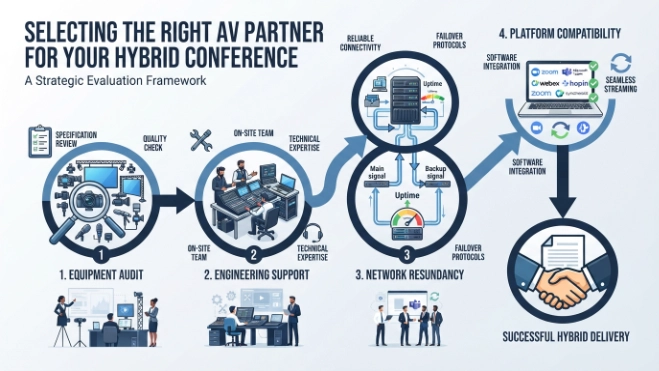
Technical compatibility forms the foundation of effective hybrid event delivery. Organizations must verify that venue hardware integrates natively with preferred enterprise platforms like Microsoft Teams, Zoom, or Webex. System testing prevents software driver conflicts during live operational windows.
On-site technical support represents an essential requirement for high-stakes corporate broadcasts. Dedicated audio engineers and broadcast specialists monitor signal health throughout the event. When technical anomalies arise, immediate engineer intervention resolves issues before remote audiences notice service degradation.
SLA guarantees protect businesses against unexpected technical disruptions. Contractual service agreements should specify minimum network speeds, hardware redundancy standards, and prompt response times. Evaluating vendor reliability requires examining historical performance metrics across similar enterprise deployments. Consulting a guide on choosing the right AV partner for your hybrid conference assists corporate planners in assessing technical capabilities and vendor reliability effectively.
Venue accessibility and location ergonomics influence overall participant satisfaction. Physical sites require convenient transport links, secure access controls, and comfortable amenities for on-site presenters. Choosing centralized corporate venues ensures smooth logistics for key executive speakers and local delegates.
What Step-by-Step Process Reserves a Streaming Room via Form My Company?
Reserving a streaming room via Form My Company requires selecting a location on the portal, choosing equipment packages, specifying date and duration, entering company verification details, and completing secure checkout.
Streamlined booking workflows allow corporate administrative teams to secure facilities efficiently. Digital reservation portals display real-time venue availability, removing back-and-forth communication delays. Administrators filter available spaces based on delegate capacity, layout preferences, and technical specifications.
Customizing equipment packages ensures facilities match specific event parameters. Users select required hardware configurations, including additional lapel microphones, secondary display monitors, or specialized lighting arrays. Transparent pricing models calculate total costs instantly based on chosen operational hours and technical upgrades.
Identity verification protocols protect venue security and maintain service standards. System portals validate corporate registration credentials using official UK business registries. Once verified, instant reservation confirmations supply digital access passes and comprehensive technical documentation to event coordinators.
Pre-event coordination services finalize technical requirements well before broadcast dates. On-site technical managers connect with booking parties to review presentation materials, run bandwidth tests, and map signal routes. To secure high-spec facilities for upcoming broadcasts, organizations can book live-streaming conference rooms through Form My Company using the digital booking portal.
What Equipment Is Standard in a Form My Company Conference Room?
Standard equipment includes dual high-definition displays, broadcast-grade pan-tilt-zoom cameras, ceiling array microphones, touch-screen control panels, high-speed Wi-Fi 6 routers, and direct HDMI/USB-C interface hubs.
Integrated control hardware simplifies room management for presenters. Intuitive touch-screen interfaces allow users to adjust room volume, switch camera presets, and initiate screen sharing without technical assistance. Standardized interface layouts minimize setup delays between scheduled corporate sessions.
Visual hardware consists of dual commercial-grade display panels. One display presents high-resolution presentation slides, while the secondary screen displays remote attendee video grids or audience chat feeds. This dual-screen arrangement allows presenters to monitor audience reactions without obscuring presentation content.
Audio capture systems utilize advanced ceiling beamforming technology. Ceiling arrays automatically locate and isolate active speakers anywhere within the room. Integrated digital signal processors cancel acoustic echo and reduce steady background noise from HVAC systems.
Physical connectivity hubs support universal laptop plug-and-play functionality. Presenters connect personal hardware via single USB-C cables that carry video signals, network data, and device charging power simultaneously. Hardware compatibility eliminates display driver installation requirements on guest laptops.
How Does Professional Live-Streaming Elevate Corporate Credibility?
Professional live-streaming elevates corporate credibility by displaying pristine 4K video quality, delivering distortion-free audio broadcast feeds, maintaining seamless slide transitions, and reinforcing brand authority during critical investor or client presentations.
First impressions heavily influence stakeholder perceptions during remote corporate events. 74% of institutional investors judge executive competence based on the technical execution quality of digital earnings calls. High-definition video broadcasts signal operational excellence and attention to detail.
Consistent visual branding reinforces corporate identity across global distribution channels. Professional streaming setups integrate digital overlays, lower-third graphics, and custom background themes directly into video feeds. Unified visual presentation builds trust with prospective clients and existing corporate partners.
Flawless audio delivery keeps participants focused on strategic messaging. Poor sound quality induces listener fatigue, causing audience members to disconnect prematurely from long presentations. Clear acoustic separation ensures complex corporate information transmits accurately without listener misunderstanding.
Reliable broadcast execution demonstrates organizational technical maturity. Executing glitch-free virtual annual meetings displays operational competence to external board members and regulatory bodies. Investing in dedicated streaming infrastructure protects corporate reputation during high-visibility public announcements.
How Do Interactive Streaming Features Enhance Attendee Engagement?
Interactive streaming features enhance attendee engagement by enabling real-time audience polling, digital Q&A moderation queues, live chat feeds, integrated virtual breakout groups, and instant feedback analytics.
Two-way communication tools transform passive spectators into active meeting participants. Integrated polling features collect immediate audience feedback on corporate proposals or strategic initiatives. Displaying instant poll metrics stimulates discussion among physical and remote event attendees.
Digital Q&A queues streamline audience interaction during large corporate town halls. Moderation tools allow administrative teams to organize, approve, and prioritize incoming attendee questions before forwarding them to presenters. Structured Q&A flows preserve executive presentation timelines while ensuring key inquiries receive attention.
Breakout room functionality facilitates small-group collaboration within broader conference agendas. Presenters divide remote participants into isolated digital workrooms for focused brainstorming sessions. Participants return to the main streaming session seamlessly once breakout timer windows expire.
Real-time engagement analytics provide measurable data on viewer participation trends. Analytics dashboards track audience retention rates, interaction frequency, and overall session attendance durations. Corporate planners analyze these metrics to optimize future presentation formats and content delivery strategies.
What Are the Cost Structures for Live-Streaming Room Rentals?
Cost structures for live-streaming room rentals consist of hourly usage tiers, half-day or full-day package rates, technical engineering add-ons, dedicated bandwidth allocations, and specialized hardware customization fees.
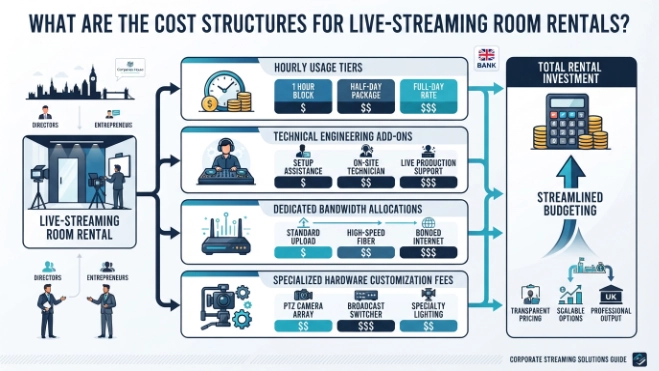
Flexible pricing models accommodate diverse corporate event schedules and budgetary constraints. Short executive briefings benefit from transparent hourly billing rates that prevent overpaying for unused room time. Larger corporate summits utilize full-day package tiers that offer discounted rates for extended facility access.
Technical support add-ons allow organizations to scale engineering assistance based on event complexity. Basic room hires include automated hardware access, while high-stakes broadcasts add dedicated sound engineers and camera operators. Tailoring support levels ensures efficient resource allocation without compromising production quality.
Bandwidth allocation structures guarantee isolated network capacity during peak usage hours. Organizations select specific upload speed tiers based on broadcast resolution requirements and stream target destinations. Dedicated bandwidth prevents network throttling during high-definition multi-platform streams.
Facility transparent pricing eliminates hidden charges at final invoice settlement. Comprehensive quotes outline room access, technical support, equipment usage, and network allocations clearly before booking confirmation. Clear cost breakdowns simplify internal corporate procurement approval workflows.
How Should You Prepare Your Team for a Live-Streaming Conference?
You prepare your team by conducting pre-event rehearsals, finalizing presentation assets, verifying technical login credentials, assigning clear moderator roles, and establishing back-channel communication protocols.
Dry-run rehearsals identify potential presentation bottlenecks before live event broadcasts. Presenters practice slide navigation, video playback transitions, and microphone handoffs inside the actual facility. Familiarity with hardware interfaces builds confidence among executive speakers.
Centralized media management ensures all digital presentation assets load correctly on broadcast hardware. Technical teams store backup copies of slide decks, video files, and graphic overlays on local venue storage. Local asset hosting prevents playback buffering caused by cloud retrieval delays.
Role assignments streamline event execution and administrative control during live streams. Designating dedicated chat moderators, timekeepers, and AV liaisons allows presenters to focus entirely on content delivery. Clear team responsibilities reduce operational friction inside the control room.
Back-channel communication channels connect presenters with off-camera technical operators. Text-based internal chat systems allow producers to notify speakers about time remaining or incoming audience questions discreetly. Unobtrusive communication preserves presentation flow during live public broadcasts.
Professional live-streaming facilities provide the hardware reliability, network redundancy, and acoustic control necessary for executive digital events. Utilizing dedicated venues eliminates technical disruptions and projects corporate authority to global audiences. Form My Company delivers accessible, fully equipped conference spaces designed specifically for modern hybrid corporate communications across prime UK business locations.
Explore our Conference Rooms guide,
Secure Your Corporate Training Venue Today with Our Easy Online Booking System
Buy Our Training Room Membership for Ongoing Staff Development and Team Learning
Frequently Asked Questions
How do I book a conference room through Form My Company?
You can book a conference room through Form My Company by choosing your required UK location, selecting your event date and room duration, and specifying any audio-visual equipment needs via their online portal. Once you submit your corporate details, the platform confirms your reservation instantly with digital access passes and technical support details.
What equipment is included in Form My Company conference room rentals?
Form My Company conference rooms come fully equipped with high-speed symmetrical fiber internet, dual high-definition displays, broadcast-quality PTZ cameras, ceiling array microphones, and touch-screen room controllers. Additional hardware such as specialized studio lighting, lapel microphones, and custom interface hubs can be requested during the booking process.
Can I host a hybrid or live-streamed event in a Form My Company conference room?
Yes, Form My Company provides dedicated live-streaming conference rooms specifically engineered for hybrid corporate events, webinars, and virtual investor meetings. These meeting spaces feature dedicated bandwidth with backup connections to eliminate latency, ensuring smooth broadcasting across platforms like Zoom, Microsoft Teams, and Webex.
How much does it cost to rent a conference room through Form My Company?
Conference room rental pricing through Form My Company varies depending on the facility location, duration, and selected technical support packages. The platform offers transparent hourly, half-day, and full-day rate structures with clear inclusions for internet access, AV hardware, and on-site engineering assistance.
Where are Form My Company conference rooms located?
Form My Company offers access to professional conference rooms and corporate meeting facilities situated in prime business hubs across the UK. Each venue is strategically chosen for convenience, offering secure building access, nearby public transit links, and professional amenities for both local and international delegates.