To choose a hybrid conference venue, evaluate dual-band Wi-Fi capacity, dedicated audio-visual integration, spatial layouts for camera framing, and onsite technical support. Selecting a facility with high-speed symmetric internet and integrated acoustic management ensures synchronized participation for physical and virtual attendees.
Choosing the right facility requires balancing physical infrastructure with digital connectivity. As workplace models shift toward distributed teams, hybrid events demand technical capabilities that standard meeting spaces lack. Modern venues must deliver seamless real-time interaction regardless of attendee location.
Evaluating potential sites involves reviewing hardware configurations, network stability, acoustic engineering, and live event assistance. Business organizers must assess these operational components early to avoid stream latency, audio feedback, and audience disengagement during live sessions.
What Network Infrastructure Does a Hybrid Conference Venue Require?
A hybrid conference venue requires a dedicated symmetric fiber-optic network offering minimum upload and download speeds of 100 Mbps. The facility must feature dual-band Wi-Fi 6 access points, redundant backup lines, and hardwired Ethernet connections for streaming encoders.
High-definition video streaming and multi-directional audio feeds consume substantial network resources. Standard guest Wi-Fi networks fail during high-density events because bandwidth fluctuates as participant devices auto-connect. Professional hybrid spaces partition guest internet traffic from critical production channels to maintain uninterrupted data transmission.
Event organizers should verify network specifications by requesting network load test reports from the venue manager. Hardwired Ethernet ports (RJ45) must sit directly near stage setups, presenter lecterns, and technician stations. This physical cabling prevents signal loss, reduces latency, and protects stream quality against wireless interference.
Redundancy forms another essential layer of connectivity planning. A venue equipped with dual Internet Service Providers (ISPs) automatically reroutes live data streams if the primary link experiences a drop. This continuous uptime protects corporate broadcasts from total technical failure during keynotes and panel discussions.
Which Audiovisual Technologies Are Essential for Live Remote Streaming?
Essential audiovisual technologies include 4K pan-tilt-zoom (PTZ) cameras, beamforming boundary microphones, spatial speaker arrays, hardware encoders, and interactive display monitors. Integrated digital signal processors (DSPs) prevent acoustic echo while balancing physical room audio with remote participant feeds.
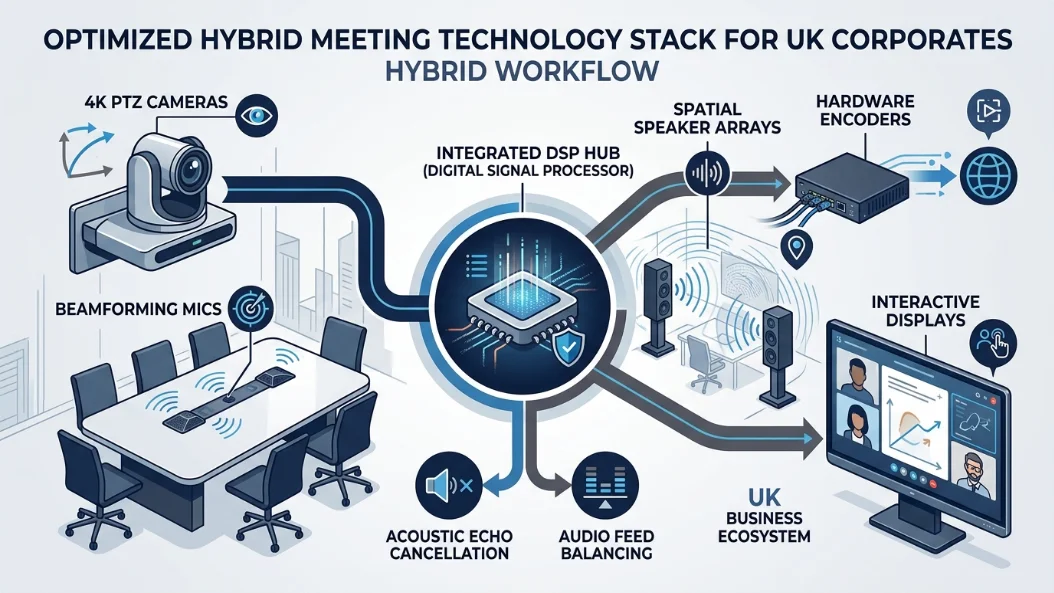
Selecting effective audiovisual equipment ensures remote attendees experience identical clarity to in-person guests. Standard webcams and omnidirectional microphones capture ambient room noise, causing listener fatigue. Advanced hybrid rooms feature PTZ cameras tracked to presenter movement and audience micro-phones that activate only when spoken into.
Audio balancing presents a common technical challenge in mixed-environment broadcasts. Digital Signal Processors manage input levels from multiple wireless lapels, handheld mics, and incoming virtual software channels. These processors remove room echo, balance output levels across all speakers, and eliminate feedback loops instantly.
Visual continuity requires strategic screen positioning throughout the physical room. Presenters must see virtual audience faces and live chat streams without turning away from in-person listeners. Installing return confidence monitors opposite the stage preserves natural eye contact and improves presentation delivery.
How Does Room Spatial Layout Impact Hybrid Attendee Engagement?
Room spatial layout impacts engagement by dictating camera sightlines, acoustic absorption, presenter mobility, and sight distance. Cabaret, U-shape, and modular seating arrangements optimize camera angles while preserving clear views of digital screens for physical participants.
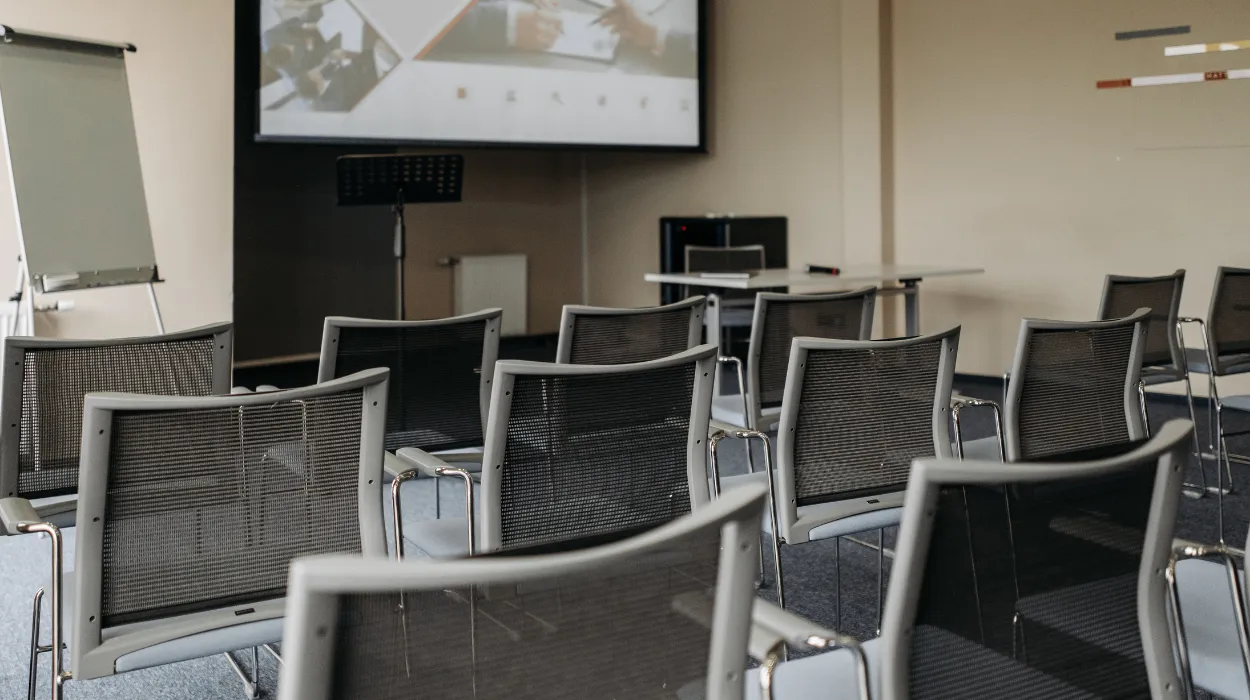
Physical room geometry directly dictates how effectively remote camera operators capture event dynamics. Traditional theater-style seating creates wide visual gaps and shadows, making in-person participants appear distant on screen. Modular cabaret setups position guests at angled tables, allowing ceiling-mounted cameras to capture faces clearly during question-and-answer periods.
Acoustic behavior varies significantly across different architectural shapes and surface materials. High ceilings, uncovered glass walls, and concrete floors bounce sound waves, distorting microphone input. Hybrid-ready rooms incorporate acoustic wall panels, carpeted flooring, and sound-dampening drapes to absorb reflections and preserve audio crispness.
Lighting placement requires equal spatial precision to eliminate presenter shadows. Stage areas need balanced three-point LED lighting configurations to render natural skin tones on digital video feeds. Natural daylight from large windows must feature automated blackout blinds to control glare on digital displays throughout changing sun positions.
What Technical Support Services Should a Venue Offer Onsite?
A venue should offer dedicated onsite network engineers, skilled audiovisual technicians, live streaming producers, and pre-event system testing services. Professional technical staff manage signal routing, resolve hardware bugs, monitor stream health, and assist presenters during live broadcasts.
Hardware configurations remain ineffective without certified technical personnel managing live event operations. Relying on general venue managers during complex digital events increases the risk of unaddressed stream delays. Dedicated technicians monitor audio levels, switch camera feeds, and troubleshoot network spikes in real time from a dedicated control booth.
Before booking, event managers should audit the venue’s technical support protocols. Premier locations run comprehensive dry runs 24 hours prior to stream execution, testing software compatibility across platforms such as Zoom, Microsoft Teams, and Webex. This prep work resolves software integration bugs long before delegates enter the physical space.
Onsite staff also assist guest speakers with hardware orientation. Technicians fit wireless microphones, set up confidence monitors, and instruct presenters on effective camera zone positioning. This direct support reduces speaker anxiety and maintains event schedules without technical pauses.
How Do You Assess Accessibility and Security Compliance for Hybrid Events?
Assessing accessibility and security compliance involves reviewing physical ADA/Equality Act features, digital closed-captioning integrations, encrypted network protocols, and GDPR-compliant data capture systems. Hybrid venues must secure physical access points while protecting virtual attendee data streams.
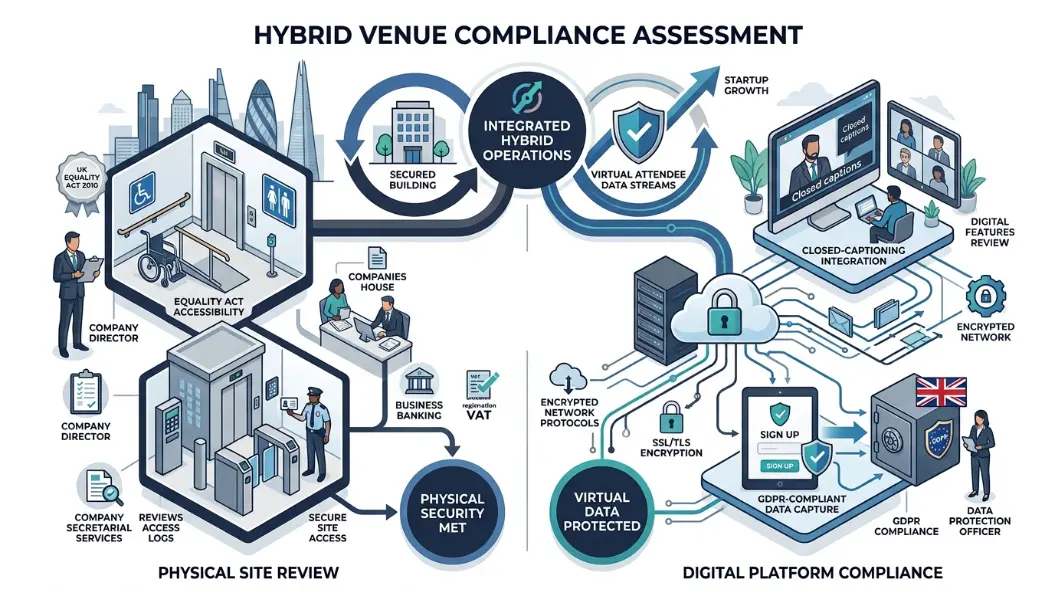
Modern hybrid events must provide equal access for all participants regardless of physical ability or remote connectivity limitations. Physical meeting rooms require barrier-free wheelchair access, adjustable podiums, and integrated hearing loop systems for hearing-impaired attendees. Digital feeds must support real-time automated or human captioning overlays within the video player.
Data protection represents another critical compliance vector for corporate event organizers. When broadcasting proprietary business strategies or financial data, venue networks must run corporate-grade encryption protocols (AES 256-bit). Unsecured open Wi-Fi networks expose corporate devices to data interception during transmission.
Physical access security complements digital protections. Professional event spaces issue trackable digital badges for in-person guests while deploying password-protected access links for virtual streams. Managing both access points ensures only registered delegates enter restricted sessions or view confidential presentations.
How to Select the Ideal Space for Your Corporate Gathering?
Selecting the ideal space requires matching delegate headcounts with technical infrastructure, evaluating room acoustics, calculating total network bandwidth needs, and confirming technical support availability. Comparing comprehensive venue packages ensures seamless delivery across physical and virtual environments.
Event planners must begin the selection process by auditing their technical requirements. Knowing total physical attendance, virtual delegate targets, interactive polling needs, and video quality goals narrows venue choices quickly. Spaces built for static presentations often struggle under the demands of interactive hybrid formats.
Cost evaluation must account for all included technology versus add-on rental fees. Some locations charge base rates for physical space, imposing high fees for high-speed Wi-Fi, audio packages, or technician labor. Evaluating transparent, all-inclusive pricing models prevents budget overruns during post-event reconciliation.
Site visits remain an essential step in final venue selection. Testing Wi-Fi speeds on mobile devices, speaking directly with onsite network engineers, and evaluating acoustic echo in empty rooms provides real-world performance metrics that glossy sales brochures cannot replicate.
When planning complex events, planners can review What Is a Hybrid Conference and How Does It Work? to understand basic format requirements.
Evaluating physical assets alongside streaming capabilities ensures event success. Organizations looking to streamline booking workflows can reserve Conference Rooms designed specifically to handle high-density data feeds and complex multi-camera production workflows.
To secure flexible, fully integrated facilities equipped with dedicated technical support, event organizers can Book Hybrid-Ready Conference Rooms With Form My Company.
Form My Company simplifies corporate event management by providing access to technologically advanced event facilities across key business districts. By offering fully integrated audiovisual systems, dedicated high-speed network connections, and professional onsite support, Form My Company ensures your hybrid gathering operates reliably from start to finish.
Explore our Conference Rooms guide,
Hourly vs Daily Interview Room Hire: Which Costs Less?
How to Budget for Conference Catering Without Overspending
Frequently Asked Questions
How do I choose the right conference room size for a corporate event?
When selecting conference rooms through Form My Company, calculate capacity based on your seating layout and expected attendance. Standard boardrooms suit small meetings of 4 to 12 participants, while cabaret or classroom setups require approximately 1.5 to 2 square meters per delegate. Ensure the room provides adequate space for audiovisual equipment, catering setups, and presenter movement without crowding attendees.
What audiovisual equipment is standard in professional conference room rentals?
Form My Company conference rooms typically come equipped with high-definition display screens, interactive whiteboards, and digital signal processors for crisp audio delivery. Standard setups include high-speed symmetric Wi-Fi, beamforming ceiling microphones, and plug-and-play video conferencing hardware for hybrid meeting integration. Additional specialized equipment, such as pan-tilt-zoom cameras or wireless lapel microphones, can also be configured upon request.
Can conference rooms be booked for hybrid or remote-access meetings?
Yes, hybrid-ready conference rooms provided by Form My Company feature integrated video conferencing technology compatible with major platforms like Zoom, Microsoft Teams, and Webex. These spaces utilize dual-band dedicated network lines, PTZ cameras, and automated tracking microphones to ensure seamless communication between onsite and remote delegates. Onsite technical support is also available to assist with live stream routing and multi-source video switching.
How far in advance should I book a corporate conference room in the UK?
For peak business days and large multi-room corporate events, it is recommended to book conference rooms 2 to 4 weeks in advance to secure preferred scheduling and layout configurations. Smaller executive meeting rooms for under 10 attendees can often be reserved through Form My Company with as little as 24 to 48 hours’ notice. Early reservations also ensure adequate time to test customized IT configurations or arrange specialized catering services.
What amenities are included with a meeting or conference room hire?
Form My Company conference room bookings generally include high-speed fiber-optic internet, ergonomic seating, climate control, and standard presentation displays. Depending on the venue location and package selected, client amenities may also cover receptionist check-in services, basic tea and coffee facilities, flipcharts, and onsite administrative support. Extended options, such as full event catering and dedicated IT technicians, can be added to meet specific event requirements.