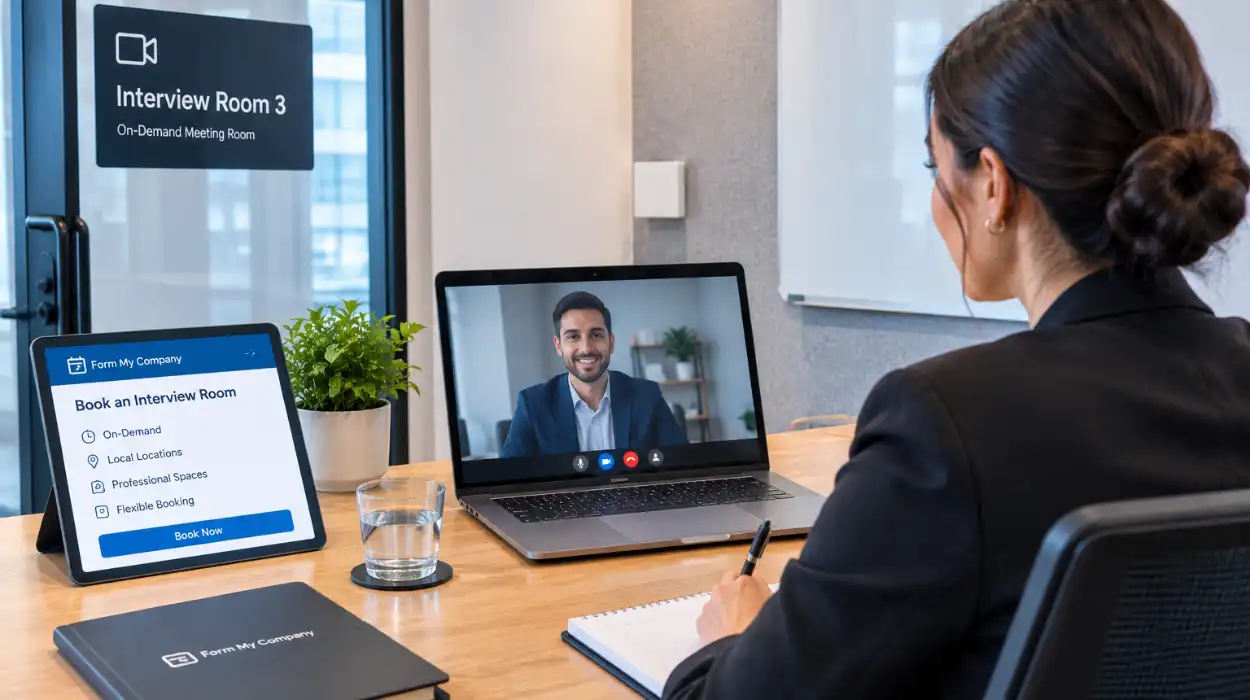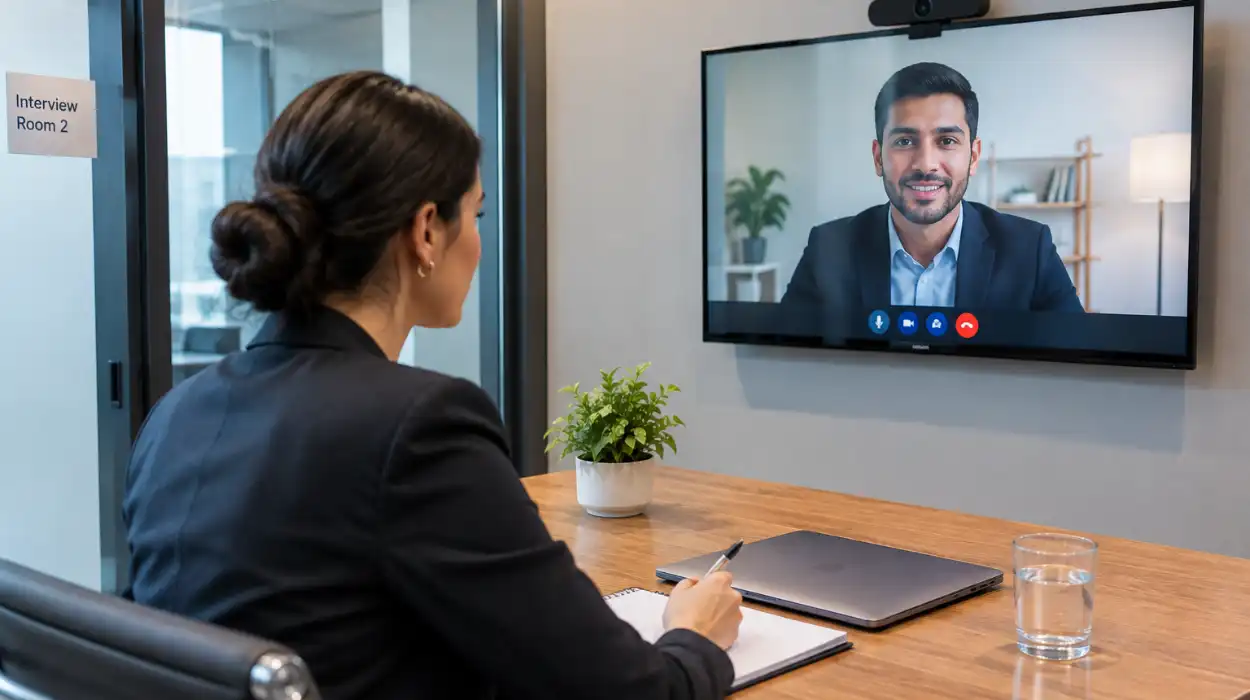

Selecting the right hybrid conference AV partner requires evaluating hardware compatibility, bandwidth capabilities, multi-platform streaming support, onsite technical management, and audio-visual redundancy. An experienced provider integrates local micro-adjustments with remote audience engagement tools to eliminate latency and connection failures.
What Technical Capabilities Must a Hybrid Conference AV Partner Possess?
A qualified AV partner must deliver sub-second streaming latency, broadcast-quality 4K video feeds, beamforming microphone arrays, and dynamic bandwidth management. They must also support dual-stream displays that present remote participants and presentation slides simultaneously without signal degradation.
Hybrid events fail when audio or visual feeds lag. Selecting an AV vendor involves auditing their physical infrastructure and networking hardware. Broadcast-grade encoders prevent signal dropouts during high-volume data transmissions. Specialized audio processors eliminate echo and ambient room noise for remote attendees. Beamforming microphones capture clear speech from speakers walking across a venue stage. Cameras with auto-tracking features follow presenters automatically across designated staging areas.
The technical architecture must account for variable venue conditions. A professional team uses dedicated bonded cellular connections alongside primary venue Wi-Fi networks. This redundant setup ensures uninterrupted streaming if local internet networks drop offline. Dual-stream video management routes main presentation decks and high-definition video feeds through independent channels. Remote participants receive crystal-clear visual clarity on secondary monitors or mobile screens.
Infrastructure integration requires strict adherence to unified communications standards. Hardware must interface natively with major platforms like Zoom, Microsoft Teams, and Webex. Experienced technicians test signal routing through hardware mixers before sending the broadcast to external servers. Selecting optimized facilities with built-in streaming infrastructure streamlines this setup process. Organizations can evaluate dedicated conference rooms to secure fully equipped environments designed for seamless broadcast delivery.
How Do You Assess Audio Quality Requirements for Hybrid Events?
Assessing hybrid audio quality requires auditing spatial acoustic isolation, microphone coverage areas, digital signal processing capabilities, and feedback suppression tools. The audio setup must separate local room sound reinforcement from outbound broadcast channels to ensure clarity.
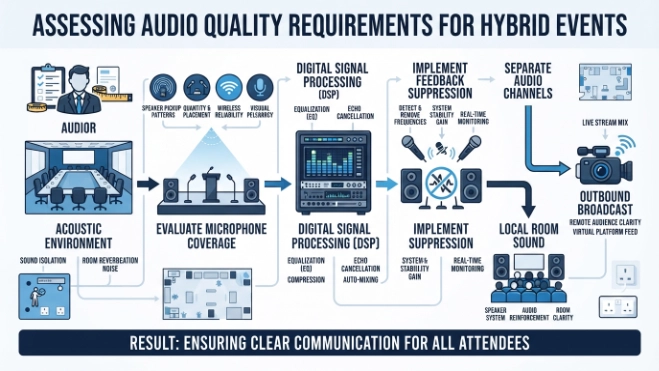
Audio issues represent the leading cause of viewer drop-off during remote broadcasts. 73% of remote conference attendees report leaving live streams due to poor microphone audio or echo. Venues present physical challenges like high ceilings, hard reflective surfaces, and air handling noise. An AV partner must conduct acoustic mapping to position speakers and acoustic panels correctly. Digital Signal Processors (DSPs) cancel acoustic echo in real time by filtering speaker output from microphone inputs.
Different presentation formats require distinct microphone configurations. Keynote speakers require wireless lapel or headset microphones to maintain mobility. Panel discussions require multi-channel wireless tabletop systems or automated ceiling arrays. Floor audience participation requires dedicated wireless handheld microphones managed by mute switches at the sound desk. The technical team isolates these inputs into distinct audio buses for the local room and remote stream.
Managing local and remote sound levels requires dedicated audio technicians. Remote presenters joining via video link require mix-minus audio feeds. This specific routing setup sends the full room audio back to the presenter while excluding their own voice to prevent feedback loops. Technicians balance local room speakers so physical attendees hear clearly without triggering microphone feedback. Professional audio setups prevent cognitive fatigue for both physical audiences and online streams.
Which Video and Camera Setups Work Best for Hybrid Conferences?
Optimal hybrid configurations utilize multi-camera switching systems, 1080p or 4K PTZ (pan-tilt-zoom) cameras, dedicated presentation capture cards, and high-frame-rate tracking systems. This equipment allows operators to switch smoothly between wide room angles and speaker close-ups.
Single static camera angles fail to maintain viewer engagement over extended sessions. A proper video strategy uses a minimum of three distinct camera angles across the main stage. The primary camera captures wide stage views to establish context for remote viewers. The secondary camera focuses tightly on active presenters to capture facial expressions. The tertiary camera captures audience reactions or secondary stage elements like product demonstrations.
Hardware switcher panels allow operators to alternate camera feeds smoothly without visual latency. Advanced broadcast software inserts lower-third graphic overlays displaying speaker names, corporate branding, and presentation titles. Video capture cards pull presentation decks directly from presenter laptops at native screen resolutions. This setup prevents camera glare when filming physical projection screens or LED video walls inside the room.
Camera position planning relies on venue dimensions and lighting conditions. High-definition PTZ cameras mount on walls or trusses to keep floor space clear of tripod trip hazards. Technicians configure three-point LED lighting setups—key, fill, and backlighting—to illuminate presenters evenly. Proper lighting calibration prevents camera sensors from introducing digital noise in darker venue environments. These integrated setups match the production value of live television broadcasts.
How Do You Test Venue Network Infrastructure and Streaming Redundancy?
Testing network infrastructure requires measuring dedicated upload speeds, packet loss rates, latency spikes, and firewall configurations. A robust installation requires a minimum dedicated upload speed of 25 Mbps alongside a secondary backup connection.
Public Wi-Fi networks cannot support high-definition hybrid video streams. An enterprise setup requires a hardwired Ethernet connection assigned exclusively to the AV production team. Network engineers perform stress tests prior to the event date to check connection stability during peak usage hours. Firewalls must be pre-configured to allow outbound streaming protocols like RTMP, RTSP, and Secure Reliable Transport (SRT).
Backup network solutions prevent catastrophic outages during live broadcasts. Bonded cellular routers merge multi-carrier 5G data SIM cards into a single unified internet stream. If the primary venue landline connection fails, the encoder fails over to the cellular bond in milliseconds. Content Delivery Networks (CDNs) cache video data globally to distribute server loads across remote geographic locations.
Network latency controls interactive elements like live audience Q&A sessions. Lower latency connections keep video delays under two seconds worldwide. The technical team implements Quality of Service (QoS) rules on local routers to prioritize AV data packets over general audience internet traffic. Organizations evaluating technical requirements can read our guide on choosing the right AV partner for your hybrid conference to structure their network audits effectively.
What Onsite Support Roles Are Necessary for Flawless Execution?
Flawless hybrid execution requires a dedicated team comprising a lead producer, audio engineer, camera operator, video switcher technician, and remote engagement moderator. Each specialist manages specific operational tasks to isolate and resolve technical issues instantly.
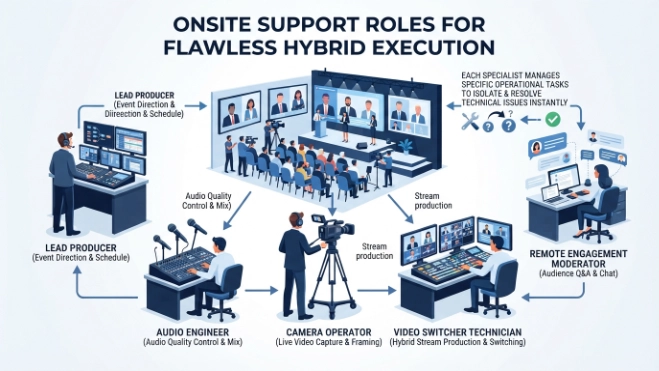
Managing physical stage elements alongside a global digital audience exceeds the capacity of a single technician. The lead producer oversees the master run of show, directing technical cues and stage transitions. The audio engineer balances room acoustics, mic levels, and outbound stream mixes continuously. The video switcher operator executes camera cuts, graphic triggers, and presentation slide transitions based on the event script.
Remote audience engagement requires specialized digital moderation. A dedicated remote moderator manages incoming chat queries, monitors live polling platforms, and relays online audience questions to the stage manager. This role bridges the physical stage with the remote viewing audience. Technical support staff stand by to troubleshoot login access, stream buffering, or app connectivity issues for virtual attendees.
Pre-event dry runs ensure operational synchronization across all roles. The complete crew conducts end-to-end rehearsals with live presenters 24 hours before event launch. These dress rehearsals verify microphone handoffs, slide transitions, screen sharing protocols, and backup power supplies. Documented call sheets outline exact timing cues for every session to eliminate operational ambiguity.
How Do You Measure the ROI of Your Hybrid Conference AV Investment?
Measuring AV investment ROI involves tracking remote participant retention rates, post-event video view counts, engagement survey metrics, and digital lead generation outputs. High production quality directly correlates with longer viewing times and improved content interactions.
Investing in high-end AV infrastructure produces measurable business returns across multiple channels. Low-quality broadcasts result in steep viewer drop-off within the first ten minutes of a session. Professional broadcast production maintains average watch times above 45 minutes per attendee session. Extended viewing times increase message retention, brand recall, and participation in interactive event activities.
Captured high-definition footage generates valuable post-event digital assets. Production crews record individual camera feeds and audio tracks separately during the live event. Content marketing teams edit these raw files into short highlight clips, promotional video snippets, and downloadable webinar modules. This multi-purpose content extends the lifecycle of event investments across social media and client marketing campaigns.
Systematic performance tracking relies on integrated analytics software. Streaming dashboards track concurrent viewer numbers, geographic participant distributions, buffer rates, and device usage statistics. Comparing production costs against lead conversions, registration fees, and archived content views quantifies full financial performance. Companies ready to book facilities can book live-streaming conference rooms through Form My Company to access professional production environments.
Explore our Conference Rooms guide,
Comparing Different Director Appointment Service Packages for Small and Medium Sized Businesses
How to Transition Your Board Members Smoothly with Professional Appointment Support Services
Frequently Asked Questions
How much does it cost to book a conference room through Form My Company?
Conference room pricing varies based on location, room capacity, required AV infrastructure, and booking duration, such as hourly or full-day rates. Form My Company provides transparent pricing models for professional meeting spaces equipped with high-speed internet and presentation technology. Additional services like catering or live-streaming setups can be added to customize the total booking cost.
What technology is included in Form My Company conference rooms?
Form My Company conference rooms come equipped with enterprise-grade audio-visual technology, including high-definition displays, video conferencing hardware, and multi-directional microphones. High-speed fiber internet and wireless screen-sharing systems ensure seamless connectivity for both local presentations and hybrid meetings. Select facilities also offer specialized live-streaming tools and technical support for large-scale events.
How far in advance should I reserve a conference room for a hybrid event?
Reserving a conference room at least two to four weeks in advance is recommended to secure your preferred date, venue size, and technical equipment. Form My Company offers flexible online booking options to help businesses plan ahead for hybrid conferences and client meetings. Early reservations also allow sufficient time to coordinate custom AV setups or catering arrangements with onsite staff.
Can Form My Company conference rooms accommodate hybrid meeting platforms?
Yes, Form My Company conference rooms feature unified communication hardware that integrates natively with platforms like Zoom, Microsoft Teams, and Webex. The built-in camera and microphone arrays are designed to capture clear video and audio for both in-person attendees and remote participants. This plug-and-play compatibility ensures frictionless connection without complex hardware configuration.
What is the cancellation policy for Form My Company conference room bookings?
Cancellation policies depend on the specific venue partner and booking agreement, though most reservations allow penalty-free cancellations up to 24 to 48 hours before the event. Form My Company outlines clear cancellation terms during the booking process to ensure full transparency for business clients. Modifying or rescheduling a reservation can typically be managed directly through your account portal.