
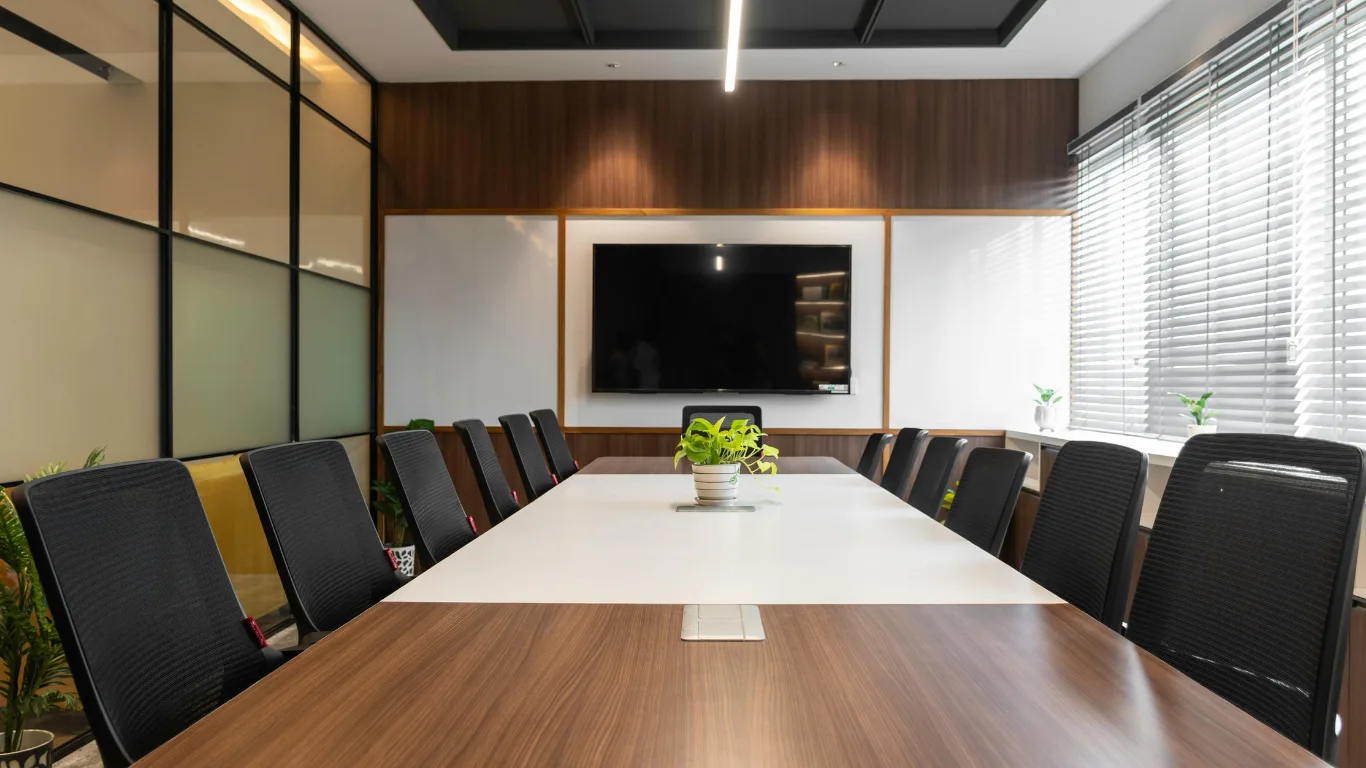
Yes. Modern meeting rooms require advanced video conferencing and digital tool integration to support hybrid attendance, secure collaboration, real‑time content sharing, and streamlined room management, reducing setup time, improving participant engagement, and ensuring meetings meet business compliance and productivity standards.
Why do modern meeting rooms need advanced video conferencing and digital tool integration?
Advanced video conferencing and digital tools enable hybrid participation, secure content sharing, and automated room controls that increase meeting efficiency and measurable outcomes.
Modern meetings include remote attendees, external guests, and in-room participants. Video conferencing systems unify audio, video, and data streams into a single workflow. Digital tool integration connects calendars, room sensors, booking systems, and document platforms. This combination reduces manual setup, prevents connection failures, and enforces access controls. IT teams then monitor usage and compliance through centralised dashboards.
How does hybrid attendance change technical requirements for meeting rooms?
Hybrid attendance requires high‑quality cameras, multi‑mic audio, a low‑latency network, and software that mixes local and remote content in real time.
Hybrid meetings demand clear video and intelligible audio for remote users. Install a 4K or PTZ camera to capture the room and active speaker. Deploy beamforming microphones or ceiling arrays to pick up speech within 3–7 metres. Prioritise wired gigabit or enterprise Wi‑Fi with QoS to limit packet loss. Use software that supports content sharing, gallery and speaker views, and background noise suppression. These elements reduce participant fatigue and increase engagement metrics like participation rate and average speaking time.
Read our articles, Understanding the Difference Between Budget Meeting Spaces and Premium Executive Business Centres, and Order Your Fully Managed Meeting Room Service for a Stress-Free Event.
What security risks do meetings face, and how do integrations mitigate them?
Meetings face eavesdropping, unauthorised access, and data leakage; integration with identity and endpoint controls enforces authentication, encryption, and audit logging.
Connect video platforms to single sign‑on (SSO) and multi‑factor authentication (MFA) to verify participants. Encrypt meeting streams end‑to‑end or at a minimum in transit using TLS and SRTP. Integrate rights management to restrict recording and screen sharing. Log meeting events into SIEM or compliance consoles for audit trails. Apply device posture checks using endpoint management to validate corporate devices before granting media privileges. These steps reduce the risk of intellectual property loss and regulatory breaches.
Which digital tools directly improve meeting productivity?
Integrated calendars, document collaboration platforms, whiteboarding, and task trackers reduce meeting setup time and convert discussion into actions.
Sync the room system with corporate calendars to auto‑pull agendas and participant lists. Link documents from cloud storage so presenters can open files without file transfers. Use collaborative whiteboards that persist after the meeting for follow‑up. Integrate task trackers or ticketing systems to assign actions during the meeting and measure completion rates. Each integration shortens the path from decision to delivery, increasing the percentage of meetings that produce actionable outcomes.
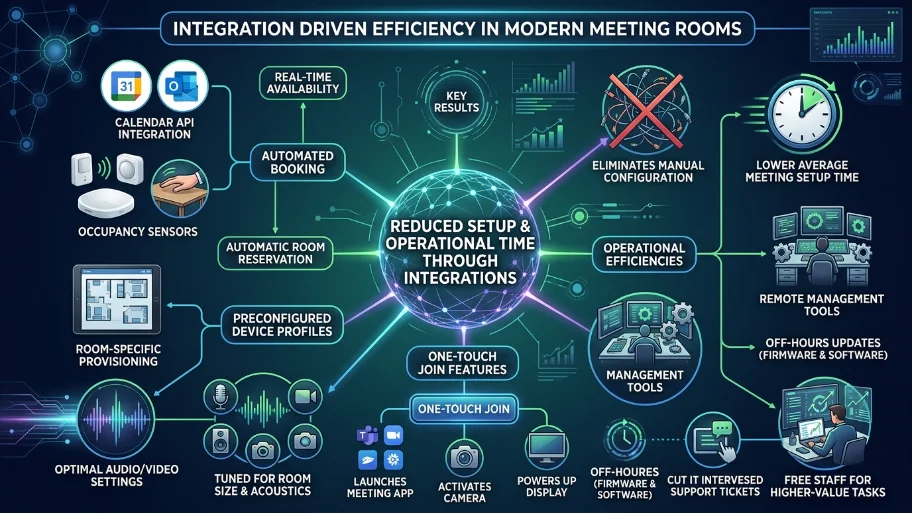
How do integrations reduce setup and operational time?
Automated booking, preconfigured device profiles, and one‑touch join features eliminate manual configuration and lower average meeting setup time.
Automate room booking with calendar APIs and occupancy sensors. Provision device profiles per room so audio/video settings are optimal for room size. Implement a one‑touch join that launches the meeting app, camera, and display simultaneously. Remote management tools push firmware and software updates off‑hours. These measures cut IT intervention by a measurable margin and free staff for higher‑value tasks.
What performance metrics should organisations track for meeting rooms?
Track uptime, join success rate, average setup time, participant engagement, and action completion percentage to evaluate ROI.
Uptime quantifies system reliability as a percentage. Join success rate measures how often participants connect without support. Average setup time records minutes from the scheduled start to full audiovisual readiness. Participant engagement can be measured by speaking time distribution and chat interactions. Action completion percentage tracks how many assigned tasks close within defined SLAs. Combine these metrics to calculate the cost per productive meeting hour.
How do vendors and room designs differ between budget and premium meeting spaces?
Budget rooms prioritise cost and basic AV; premium spaces offer managed services, scalable video systems, and concierge support for larger events.
Budget rooms typically include a USB camera, a soundbar, and a shared laptop connection. They work for small internal meetings. Premium executive rooms invest in integrated codecs, enterprise video platforms, room control panels, and on‑site or remote technical support. Premium services add concierge booking, catering coordination, and managed recordings. Organisations selecting spaces evaluate expected attendee size, guest frequency, and event complexity when choosing between budget and premium options.
How does integration support compliance and record‑keeping?
Integration with document management and logging systems enforces retention policies, access controls, and searchable audit logs.
Route recordings and transcripts into regulated storage with retention rules. Apply metadata tagging for legal hold and retrieval. Restrict access via role‑based permissions and SSO. Log participant joins, screen shares, and recording starts for audits. These controls support information governance and legal discovery workflows.
What are the stepwise requirements to upgrade an existing meeting room?
Assess current capabilities, define user needs, select compatible hardware and software, integrate with IT systems, and train users.
Survey cameras, microphones, displays, and network capacity. Interview frequent users to identify pain points. Specify hardware that meets the room size and participant count. Choose software that integrates with corporate SSO, calendar and document platforms. Pilot one room, collect metrics for four to six weeks, then roll out phased upgrades. Provide short training and quick‑reference guides to drive adoption.
Explore our Meeting rooms guides,
How to Evaluate the ROI of Investing in Professional External Training Rooms
Understanding the Benefits of Flexible Training Spaces for Modern Hybrid Work Teams
How can businesses measure cost vs benefit for integrated meeting rooms?
Calculate the total implementation cost and compare it to reduced meeting hours, lower travel spend, and increased task completion to estimate ROI.
Sum hardware, software, installation, and management fees over three years. Measure reductions in average meeting time and travel expenses. Quantify additional productive hours saved per employee using time‑value rates. Track improved action completion and lower IT support tickets. Use these data to produce a payback period and a three‑year ROI percentage.
Modern meeting rooms require advanced video conferencing and digital tool integration to support hybrid work, secure collaboration, and measurable productivity gains. Integrations reduce manual setup, strengthen compliance, and convert meeting outcomes into tracked actions. From My Company designs meeting rooms that combine enterprise video systems, calendar and document integrations, and managed services to deliver consistent meeting experiences and clear operational metrics.
Frequently Asked Questions
What should I look for when booking meeting rooms for hybrid teams?
Look for meeting rooms with advanced video conferencing, beamforming microphones, and integrated calendar booking. From My Company provides meeting rooms that support hybrid attendance with one-touch join and secure content sharing.
How do modern meeting rooms improve meeting productivity?
Modern meeting rooms integrate digital tools like collaborative whiteboards, document platforms, and task trackers to shorten setup time and convert discussion into actions. From My Company designs meeting rooms that link calendars and cloud storage for seamless workflows.
Are premium meeting rooms worth the cost compared to budget spaces?
Premium meeting rooms offer managed services, scalable video systems, and concierge support that reduce IT intervention and improve event outcomes. From My Company delivers premium meeting rooms with remote technical support and occupancy sensors for higher ROI.
What security measures protect data in business meeting rooms?
Secure meeting rooms use SSO, MFA, end-to-end encryption, and audit logging to prevent unauthorised access and data leakage. From My Company integrates meeting rooms with identity verification and SIEM logging for compliance-ready collaboration.
How can I measure ROI from upgrading to integrated meeting rooms?
Track uptime, join success rate, average setup time, and action completion percentage to calculate cost per productive meeting hour. From My Company supplies meeting rooms with centralized dashboards that report these metrics for clear ROI analysis.